

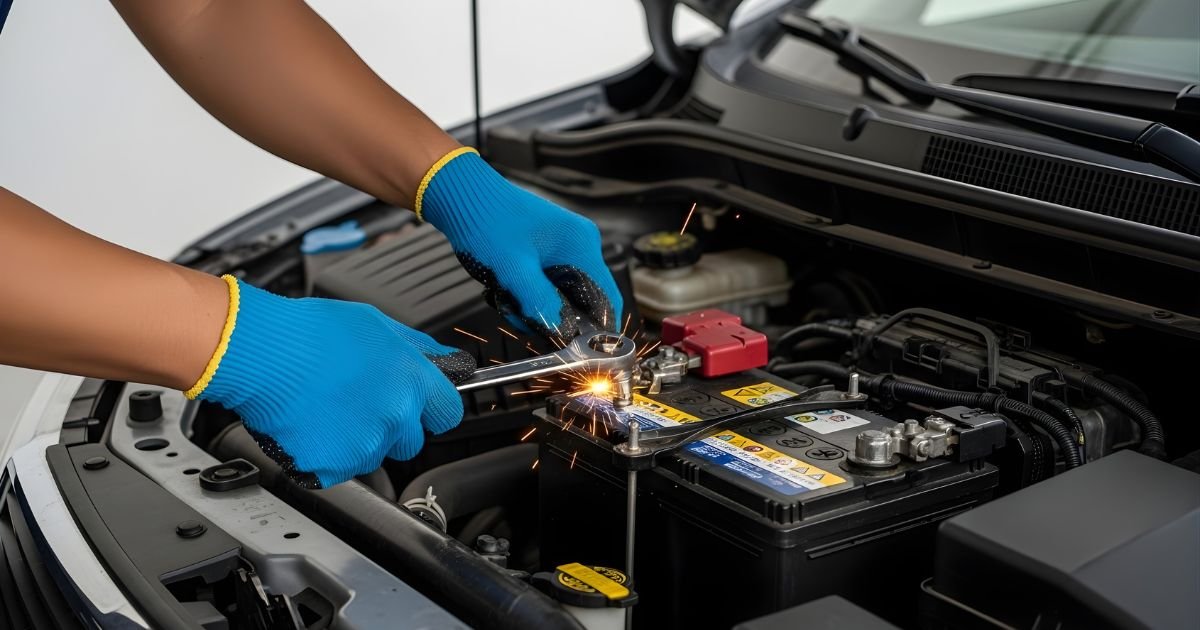
Have you ever needed to disconnect your car battery but didn’t know where to start? Whether you’re fixing something under the hood or just want to keep your battery safe, knowing how to properly disconnect it is key.
Getting it wrong can cause sparks, damage, or even injury. But don’t worry—this guide will walk you through every step, making it simple and safe. By the end, you’ll feel confident handling your car battery like a pro. Ready to learn?

Tools Needed
Disconnecting a car battery requires specific tools to do the job safely and correctly. Having the right tools makes the process easier and prevents damage to the car or injury. Gather all necessary items before you start working on the battery.
Basic Tools
You need a wrench or socket set to loosen the battery terminals. Most car batteries use a 10mm wrench, but check your battery size. A flathead screwdriver can help pry off terminal covers if present. A battery terminal cleaner or wire brush is useful to remove corrosion. Keep a rag or cloth handy to wipe dirt or battery acid.
Safety Gear
Wear safety goggles to protect your eyes from sparks or acid splashes. Gloves protect your hands from battery acid and dirt. Use rubber gloves for extra protection. Avoid wearing metal jewelry or watches to stop electrical shorts. Work in a well-ventilated area to avoid harmful gas build-up.
Prepare Your Car
Preparing your car before disconnecting the battery is important for safety and ease. This step helps prevent accidents and damage to your vehicle. Follow simple actions to get your car ready.
Turn Off Engine
Make sure the engine is completely off. Remove the key from the ignition. This stops any electrical flow and reduces risk of shock. Let the car sit for a few minutes to cool down.
Locate Battery
Open the car’s hood carefully. Look for a rectangular box with two cables attached. This is the battery. Check your owner’s manual if you cannot find it. Some cars have batteries in the trunk or under seats.
Disconnecting The Battery
Disconnecting the car battery is an important step before doing any work on your vehicle. It keeps you safe and protects the car’s electrical system. The process is simple but must be done carefully. Follow the steps below to disconnect your battery properly.
Identify Terminals
First, open the car hood and find the battery. Look for two metal terminals on top of the battery. One is marked with a plus sign (+) and usually has a red cover. This is the positive terminal. The other has a minus sign (−) and is often black. This is the negative terminal.
Remove Negative Terminal
Always remove the negative terminal first. Use a wrench to loosen the nut on the negative terminal clamp. Then, carefully lift the cable off the battery post. Push the cable away to avoid contact with the battery or metal parts. This step prevents sparks and short circuits.
Remove Positive Terminal
Next, loosen the nut on the positive terminal clamp with a wrench. Remove the positive cable from the battery post. Keep the cable away from any metal surfaces. Now, the battery is fully disconnected and safe to work with.

Safe Handling And Storage
Handling and storing a car battery safely is very important. Car batteries have acid inside that can cause burns or damage. Also, they can release gases that might catch fire. Taking simple safety steps helps avoid accidents and keeps you safe.
Avoid Short Circuits
Short circuits happen when the battery’s positive and negative terminals touch. This causes sparks and heat. Always use insulated tools when working near the battery. Keep metal objects like keys and jewelry away from the battery. Never place the battery on a metal surface. Disconnect the negative terminal first to reduce risk.
Store Battery Properly
Store the battery in a cool, dry place away from direct sunlight. Keep it upright to avoid acid leaks. Avoid places with high heat or extreme cold. Place the battery on a non-metallic surface like wood or plastic. Check the battery often for any signs of damage or corrosion during storage.
Common Mistakes To Avoid
Disconnecting a car battery might seem easy, but many make avoidable mistakes. These errors can cause damage to the car or even harm yourself. Knowing what to avoid helps keep the process safe and smooth.
Understanding common mistakes saves time and frustration. It also protects your car’s electrical system from problems. Below are key errors to watch out for.
Not Wearing Protective Gear
Skipping gloves or safety glasses risks acid burns or sparks. Always wear protective gear to shield your skin and eyes.
Removing The Positive Terminal First
Disconnect the negative terminal first. Removing the positive one first can cause sparks and short circuits.
Using The Wrong Tools
Using incorrect or worn tools can strip bolts or damage terminals. Use the right size wrench or socket for each bolt.
Failing To Turn Off The Engine And Accessories
Leaving the engine or lights on can cause electrical shorts. Switch off everything before disconnecting the battery.
Touching Both Terminals At The Same Time
Touching both terminals with a tool or hand can cause a short. Keep tools and hands clear of both terminals simultaneously.
Not Securing Loose Cables After Removal
Loose cables can touch metal parts and cause sparks. Move cables away and secure them safely after disconnecting.
Frequently Asked Questions
How Do I Safely Disconnect A Car Battery?
First, turn off the engine and remove the key. Wear gloves and safety glasses. Disconnect the negative terminal first, then the positive. Avoid touching both terminals simultaneously to prevent short circuits.
Why Disconnect A Car Battery Before Repairs?
Disconnecting the battery prevents electrical shocks and accidental short circuits. It protects your car’s electronics and ensures your safety during repairs or maintenance.
Can Disconnecting A Car Battery Reset The Computer?
Yes, disconnecting the battery can reset the car’s computer. This may clear error codes but can also erase saved settings like radio presets.
How Long Does It Take To Disconnect A Car Battery?
Disconnecting a car battery usually takes 5 to 10 minutes. Time depends on your tools and experience level. Always follow safety precautions.
Conclusion
Disconnecting a car battery is simple and safe when done right. Always start by turning off the engine and wearing gloves. Loosen the negative cable first, then the positive. Keep the cables apart to avoid sparks. Remember to store the battery in a dry place if removed.
Following these steps helps protect you and your car. Now, you can handle this task with confidence and ease. Safety matters most. Take your time and stay careful.
