

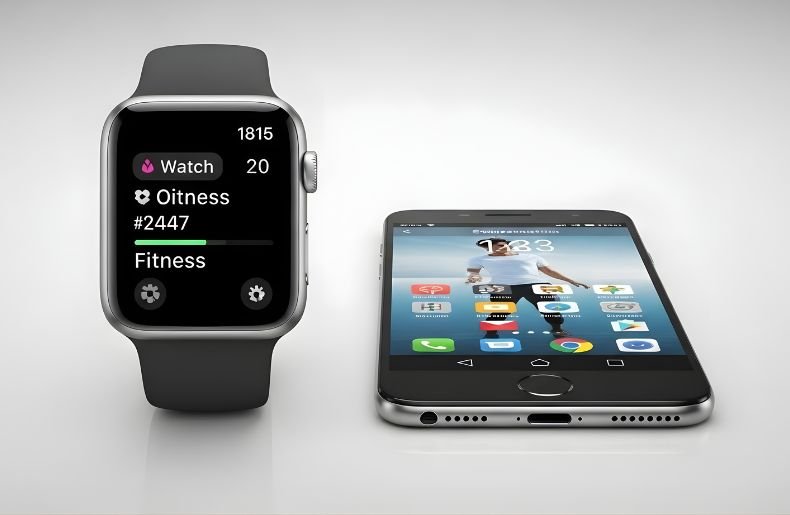
You’ve spotted someone wearing a sleek Apple Watch and thought, “I want that on my Android phone.” It’s a natural reaction the Apple Watch is undeniably one of the most polished smartwatches on the market. But here’s the reality check you need: Apple Watch and Android don’t play together, and they never will.
Apple has built an impenetrable wall around its ecosystem, making it impossible to use an Apple Watch on Android devices without an iPhone. However, this limitation isn’t the end of your smartwatch journey.
In this guide, I’ll walk you through why this compatibility issue exists, what happens if you try to force it, and more importantly, I’ll show you the best alternatives that actually work better with your Android phone. By the end, you’ll understand exactly what your options are and how to choose the perfect smartwatch for your needs.
Why You Cannot Use Apple Watch on Android
The Ecosystem Barrier Explained
Apple’s business strategy revolves around creating a seamless but closed ecosystem. The Apple Watch isn’t just a standalone device it’s an extension of your iPhone. Every core function, from initial setup to daily operations, requires constant communication with iOS. This isn’t an oversight or a technical limitation that might be fixed someday. It’s intentional design.
When you unbox a new Apple Watch, the first thing you need is the Apple Watch app on your iPhone. This app handles everything: pairing, configuration, app installation, and ongoing management. Since this app doesn’t exist for Android and never will, there’s simply no way to activate or use an Apple Watch with your Android device.
Technical Dependencies That Block Android Users
The incompatibility runs deep into the architecture of both devices. Apple Watch relies on several iPhone-exclusive technologies that Android cannot replicate. The watch uses Apple’s proprietary Bluetooth protocols, iCloud integration for data syncing, and the iOS notification system. Even features that seem simple, like receiving text messages or phone calls on your watch, depend entirely on iPhone’s operating system handling the communication.
Additionally, watchOS updates which are essential for security, new features, and bug fixes—can only be installed through an iPhone. Without these updates, your watch would quickly become outdated and potentially vulnerable to security issues.
What Happens When You Try the Apple Watch-Android Combination
The Initial Setup Roadblock
Let’s know how to use Apple Watch on Android. Here’s what you’ll encounter immediately: the watch will display a pairing screen showing a swirling pattern and asking you to bring your iPhone close. Your Android phone won’t recognize this pairing request at all. There’s no app to download, no workaround to implement, and no third-party solution that works reliably.
Even if someone tells you they’ve found a hack or workaround online, these methods either don’t work at all or provide such limited functionality that you’d be wasting your time and money. Some outdated articles suggest using an iPhone just for setup, but this creates more problems than it solves.
The Reality of Limited Standalone Features
Apple Watch models with cellular connectivity (GPS + Cellular versions) do have some standalone capabilities. In theory, once set up with an iPhone, these watches can make calls, stream music, and track workouts independently. However, here’s the catch: you still need an iPhone for the initial setup, and you’ll need periodic access to that iPhone for updates and troubleshooting. For Android users, this means constantly borrowing someone else’s iPhone, which is neither practical nor sustainable. Plus, without your Android phone connected, you won’t receive any notifications, messages, or calls from your actual phone—defeating the primary purpose of having a smartwatch.
Better Smartwatch Alternatives for Android Users
Instead of fighting Apple’s ecosystem, consider these excellent Android-compatible smartwatches:
Samsung Galaxy Watch Series
If you have a Samsung phone, the Galaxy Watch 6 or Watch 6 Classic offers deep integration, excellent health tracking, rotating bezels, and a polished experience that rivals Apple Watch. Even with non-Samsung Android phones, it works great.
Google Pixel Watch 2
Google’s Pixel Watch 2 brings Wear OS 4, Fitbit health tracking integration, and clean Google design. It works seamlessly with any Android device and offers great fitness features, though battery life is shorter than some competitors.
Garmin Watches
For serious fitness tracking, Garmin watches like the Venu 3 or Forerunner series offer incredible battery life, detailed health metrics, and work with both Android and iPhone. They’re less focused on smartwatch features and more on comprehensive fitness tracking.
TicWatch Pro 5
For a more affordable Wear OS option with excellent battery life, the TicWatch Pro 5 offers dual-display technology and works well with Android devices at a lower price point than Pixel or Galaxy watches.
All of these options give you actual smartwatch functionality with your Android phone—notifications, app support, fitness tracking that syncs to your phone, and regular software updates.
How to Use Apple Watch on Android: Common Mistakes to Avoid
Buying an Apple Watch Hoping to “Make It Work”
I’ve seen people buy used Apple Watches thinking they’ll find a workaround app or hack. Don’t do this. You’ll waste money and end up frustrated. Those YouTube videos claiming to show you how to pair an Apple Watch with Android? They’re either misleading clickbait or showing you the limited, impractical uses I mentioned above.
Trying Third-Party Pairing Apps
Apps claiming to connect Apple Watch to Android don’t actually pair the devices—they can’t. Some might let you view limited fitness data if the watch was previously synced to iCloud and you can access that account, but that’s not the same as using the watch with your phone.
Keeping an Old iPhone Just for the Watch
Some people keep an old iPhone at home just to keep their Apple Watch paired. While this technically works, you’d need to keep the iPhone with you (or nearby with Wi-Fi) for the watch to receive notifications and stay functional. At that point, why not just use the iPhone?
Ignoring Activation Lock
If you buy a used Apple Watch, make sure the previous owner removed Activation Lock. Without their Apple ID and password, the watch is a brick. Always have the seller unpair the watch from their iPhone before purchasing.
Making the Switch: Tips for Former Apple Users
Adjusting Your Expectations
If you’re coming from iPhone and considering Android specifically for smartwatch options, understand that the experience will be different but not inferior. Android watches offer more customization, better battery life in many cases, and freedom to choose from multiple manufacturers. You’ll lose some polish that Apple provides, but you gain flexibility and often better value.
The notification system works slightly differently across platforms. Take time during your first week to customize which apps send notifications to your watch. Android’s granular control lets you fine-tune this more precisely than iOS.
Conclusion
Understanding how to use Apple Watch on Android leads to one clear conclusion: you can’t, and you shouldn’t try. Apple’s ecosystem lock-in is absolute, but this limitation opens doors to discover Android-compatible smartwatches that often outperform Apple Watch in battery life, customization, and value.
Samsung Galaxy Watch delivers premium quality, Google Pixel Watch offers pure Android integration, Fitbit excels in health tracking, and Garmin dominates fitness features. Each brings something unique that works seamlessly with your Android phone no compromises, no workarounds needed.
Your perfect smartwatch isn’t about forcing Apple Watch on Android; it’s about choosing the right device designed for your platform. Take the next step: visit a store to try these watches in person, compare features against your priorities, and invest in a smartwatch that truly complements your Android experience. The perfect match is waiting all you need to do is choose.
