

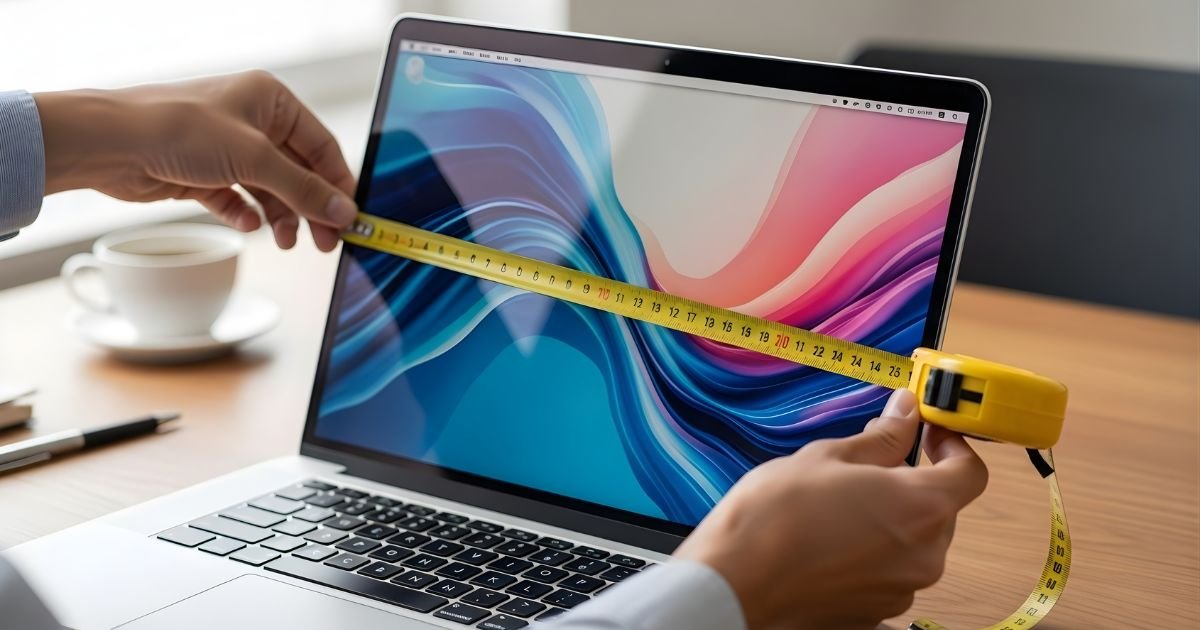
Picking a laptop begins with one fundamental choice: Which direction do you want to go with size? Whether you’re shopping for a new device, looking at protective cases, or are just trying to figure out if your laptop will fit in that slim messenger bag you’ve had your eye on, knowing how to measure laptop size correctly is pretty important.
It’s a seemingly simple exercise, but there’s more to the process than most people would realize. Every dimension, from screen size to overall footprint, says something different about how portable, usable, and compatible a device is.
In this exhaustive explainer, I’m going to cover everything you need to know about laptop measurements — tried and true methods, common mistakes, and practical tips that will have you feeling comfortable estimating the size of any laptop. Now let’s get to what really matters.
Understanding Laptop Screen Size Measurement
The most common way people describe laptop size is by screen measurement, and there’s a specific technique to get it right.
Screen size refers to the diagonal measurement of the display, measured from one corner to the opposite corner. This is the universal standard that manufacturers use, which is why you’ll see laptops advertised as 13-inch, 15.6-inch, or 17-inch models.
The Diagonal Measurement Method
In order to measure the size of your laptop screen properly, make sure you have a measuring tape or ruler. Begin at the bottom-left corner of your screen — not the whole laptop body, but just the display. Drag your measuring device diagonally to the upper right (or lower right, to upper left, depending on which is easiest). Make sure you are measuring only the screen, not including a bezel or frame. The number of inches that you calculate is your official screen size.
Here’s why this is important: Just because a laptop is described as 15.6 inches doesn’t mean the computer itself measures that wide. It’s also a diagonal measurement, which is a little difficult to conceptualize when you’re busy trying to decide if it will fit in whatever free space you have. This standard of measurement originated during the early days of television and has stood to this day.
Measuring Physical Laptop Dimensions
While screen size provides a convenient reference point, the true physical size of your laptop describes all you need. When you need to figure out how to measure laptop size for a very practical reason — because you want to fit it into a bag or backpack, slide it under your bed, put 13 other things on top of it on your desk — there are three key measurements: the width, the depth, and then the height.
Width is counted from left to right orvice versa, a closure of the Laptop. Set your laptop on a desk, make it lie flat, and close the lid to get an accurate measurement at its widest point,nt which is usually near the front. Depth extends from the front edge (where you rest your wrists) to the back edge (where the hinges are).
Again, the laptop will remain closed and measure the longest edge. Height is the thickness of the notebook when closed and fully extended from the bottom to the top. This is a dimension that really differs between ultra-portables and gaming or work machines.
These dimensions are usually written into product specifications as physical measurements in the Width x Depth x Height format (e.g., 14.0 x 9.8 x 0.7 inches). When purchasing online, always check these specs, but if you are measuring an existing laptop, get that tape measure out for precision.
Why Bezel Size Matters in Modern Laptops
Understanding bezels—the frames surrounding your screen—has become increasingly important in how to measure laptop size effectively. Modern laptops feature dramatically smaller bezels than older models, which means a newer 15-inch laptop might actually have a smaller overall footprint than a five-year-old 14-inch model.
The bezel doesn’t count toward screen size, but it significantly impacts the laptop’s total dimensions. Manufacturers have been pushing “edge-to-edge” displays, reducing bezels to mere millimeters. This trend means you can get a larger screen in a more compact body. When comparing laptops, look at the screen-to-body ratio, which indicates how much of the front surface is actually display versus frame.
A laptop with a 90% screen-to-body ratio will be noticeably more compact than one with a 75% ratio, even if they have the same screen size. This consideration becomes crucial when portability is a priority.
Aspect Ratio and Its Impact on Size
Screen aspect ratio—the relationship between width and height—also affects how laptop size translates to real-world dimensions. The traditional 16:9 aspect ratio is being challenged by 16:10 and 3:2 ratios, which are taller.
Two laptops with 14-inch screens can have different physical dimensions if one uses 16:9 and the other uses 3:2, because the taller screen requires more vertical space in the laptop’s body.
Measuring for Laptop Bags and Cases
One of the most practical reasons to know how to measure laptop size is ensuring compatibility with bags, sleeves, and cases. Here’s the thing: laptop bag sizes are typically advertised by the maximum screen size they accommodate, but this can be misleading since actual laptop dimensions vary.
For a perfect fit, follow these steps:
- Measure your laptop’s width and depth as described earlier
- Add about 0.5 to 1 inch to each dimension for padding and zipper clearance
- Check the bag’s internal dimensions, not just its advertised screen size compatibility
- Consider the laptop’s height if you plan to store it with accessories
- Account for any protruding elements like rubber feet or ventilation bumps
I’ve seen countless people buy a “15-inch laptop bag” only to find their 15-inch laptop doesn’t fit because the bag manufacturer assumed slimmer bezels or different proportions. Always verify internal dimensions when possible.
Weight Considerations Beyond Size
Physical size aside, weight remains a factor worth considering when reviewing laptop dimensions. A smallish laptop that weighs six pounds is going to take up a lot more space in your bag than one weighing three pounds that has the same-sized screen.
Most often, manufacturers use weight (lbs. or kgs) in their statements. Gaming laptops/mobile workstations often weigh 4-8 pounds due to high-performance components and cooling systems. Business ultraportable typically weigh between 2 and 4 pounds. Budget laptops sit somewhere in the middle, typically 3-5 pounds.
Think through your use case — if you are using it every day for a commute or taking it frequently, even a one-pound difference means something over time. For a stationary desk, weight is less of an issue than footprint. Not all size-to-weight ratios follow the same linear path — some 13-inch laptops are heavier than other 15-inch ones thanks to build materials and internal components.
Common Laptop Size Categories Explained
Laptops generally fall into several size categories; each designed for different needs and preferences. Understanding these categories helps you make informed decisions when shopping or comparing models.
Ultraportable (11-13 inches)
These compact machines prioritize portability above all else. They typically measure 11-13 inches diagonally, weigh under 3 pounds, and offer the best mobility. They’re perfect for students, frequent travelers, and anyone who works in coffee shops or on the go. The trade-off is usually smaller keyboards, fewer ports, and sometimes reduced performance compared to larger models.
Mainstream (14-15 inches)
The sweet spot for most users, 14–15-inch laptops balance portability with functionality. They’re large enough for comfortable all-day work but still portable enough for regular transport. Most business professionals and general users find this size ideal. A 15.6-inch laptop has become the de facto standard for home and office use.
Desktop Replacement (17-18 inches)
These larger laptops prioritize screen real estate and performance over portability. They’re excellent for creative professionals, gamers, or anyone who rarely moves their laptop. The extra size allows for better cooling, more powerful components, and often includes a full numeric keypad.
Tools and Techniques for Accurate Measurement
Getting precise measurements requires the right approach and tools. While you can eyeball approximate sizes, accuracy matters when ordering accessories or planning workspace arrangements.
Essential measuring tools include:
- Standard measuring tape (cloth or metal, at least 20 inches long)
- Ruler or straight edge for smaller measurements
- Calipers for precise thickness measurements (optional but helpful)
- Smartphone apps that use AR for quick measurements
For the most accurate results, place your laptop on a flat, stable surface. Ensure it’s completely closed and any hinges are properly aligned. Take each measurement twice to confirm accuracy, especially if you’re ordering expensive custom cases. Measure in both inches and centimeters if you’re shopping internationally, as different regions use different standards.
Converting Between Measurement Systems
International laptop shopping requires understanding both imperial and metric measurements. Most manufacturers list specifications in both, but knowing how to convert ensures you’re never confused. One-inch equals 2.54 centimeters.
To convert inches to centimeters, multiply by 2.54. To convert centimeters to inches, divide by 2.54. For example, a 15.6-inch screen equals approximately 39.6 centimeters diagonally. A laptop measuring 14.0 x 9.8 x 0.7 inches converts to roughly 35.6 x 24.9 x 1.8 centimeters. Most online converters can help with these calculations instantly, but understanding the relationship helps you quickly estimate sizes when browsing international retailers or comparing specifications from different regions.
Checking Manufacturer Specifications
Before you run any tests yourself, consult the manufacturer’s official published specs. It’s available from every reputable laptop manufacturer’s website, in the product documentation. Those will usually be things like screen size, overall dimensions (width x depth x height), weight and on occasion, the actual bezel sizes.
But manufacturer specs sometimes have mistaken or list dimensions without certain accessories that are included with the laptop. You may want to double-check some of these critical measurements yourself, particularly when you are dealing with expensive accessories. Product specification sheets also will list other size-related things such as keyboard layout dimensions and trackpad size, or port placement that possibly lifestyle factors for you.
Final Thought
Knowledge of how to measure laptop size enables you to be a more informed consumer, find suitable accessories, and realize your space’s potential. Just keep in mind that a screen’s diagonal measurement is just one part of the whole package—along with physical dimensions, weight, bezel size, and aspect ratio, all factor into that decision.
Whether you’re measuring diagonally for a phone screen or borrowing in with a ruler to measure your laptop, computer gear is ubiquitous, more so now than ever. Measure twice, use the right tools, and don’t place too much faith in advertised screen sizes when fit truly counts.
Now that you know this, reach for that measuring tape and become acquainted with your laptop’s actual size. And if you are shopping for a new laptop, use these methods to compare models beyond the physical screen size — your back and bag will thank you. Become a master of how to measure laptop size and never doubt another stroll with your laptop bag, makeshift satchel, or order for accessories ever again.
