

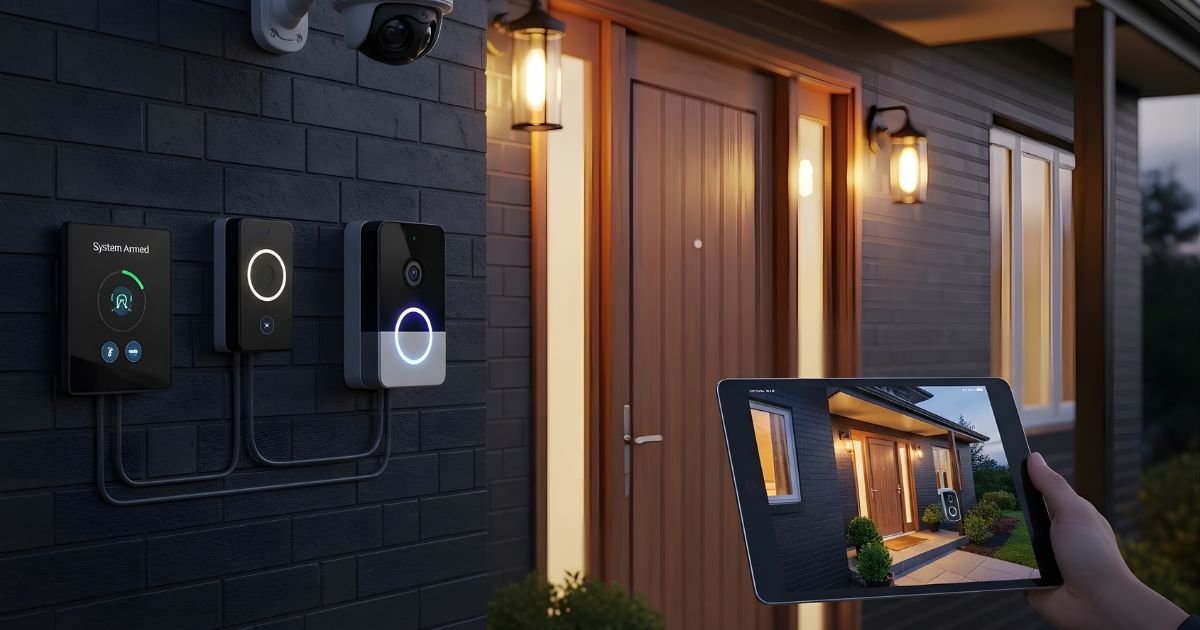
Your home’s safety is one of your top priorities, and a smart doorbell can be a game-changer. But just having the device isn’t enough—you need to connect it properly to your home security system to get the full benefit.
Imagine getting instant alerts, seeing who’s at your door from anywhere, and adding an extra layer of protection effortlessly. If you want to make sure your smart doorbell works seamlessly with your security setup, this guide is for you. Keep reading, and you’ll discover simple, clear steps to connect your smart doorbell and boost your home’s safety like never before.
Choosing The Right Smart Doorbell
Choosing the right smart doorbell is important for a secure home. The right choice helps keep your house safe. It also makes your life easier with smart features. Consider several factors before buying a smart doorbell. This helps ensure it works well with your home security system.
Compatibility With Home Security Systems
Check if the doorbell works with your security system. Some doorbells only work with specific brands. Verify the connection options, like Wi-Fi or wired setups. Make sure it can send alerts to your security app. Compatibility helps avoid technical problems later.
Features To Look For
Look for video quality and night vision features. Motion detection is important for alerting you quickly. Two-way audio allows you to talk to visitors. Some doorbells have cloud storage for video clips. Choose features that fit your security needs best.
Budget Considerations
Set a budget before choosing your smart doorbell. Prices vary based on brand and features. Basic models cost less but may lack some functions. Higher-priced models offer advanced security options. Balance cost with features to find the best value.
Preparing Your Home Network
Preparing your home network is a key step before connecting a smart doorbell to your home security system. A strong and secure network ensures your doorbell works smoothly. It also protects your data from unauthorized access. This section guides you through essential steps to prepare your home network.
Ensuring Strong Wi-fi Coverage
Smart doorbells need a steady Wi-Fi signal to function well. Place your router near the front door if possible. Avoid walls and large objects that block the signal. Consider using Wi-Fi extenders or mesh systems to boost coverage. Test the Wi-Fi signal strength where you plan to install the doorbell. A strong signal prevents delays and interruptions in video and alerts.
Securing Your Network
Protect your home network from hackers. Use a strong, unique password for your Wi-Fi. Change the default router login credentials. Enable WPA3 or WPA2 encryption for better security. Keep your router’s firmware updated to fix vulnerabilities. Turn off WPS as it can be a security risk. These steps help keep your smart doorbell and other devices safe.
Setting Up A Dedicated Network For Devices
Create a separate Wi-Fi network for your smart devices. This network isolates your smart doorbell from personal devices. It reduces the risk of hacking and improves performance. Many routers support guest networks or multiple SSIDs. Use this feature to set up a dedicated network. This way, your smart doorbell stays secure without affecting your main network.
Installing The Smart Doorbell
Installing the smart doorbell is the first step to improving home security. It gives you control over your front door. The process requires some basic tools and careful attention. Follow the steps to ensure a proper and safe installation.
Tools And Materials Needed
Gather all necessary tools before starting. You will need a drill to make holes. Screwdrivers help secure the doorbell in place. A level ensures the doorbell is straight. Wire strippers might be needed for wiring. Also, have screws and anchors ready. Check the smart doorbell package for included parts.
Mounting The Doorbell
Choose a spot near your door, at eye level. Mark the drill holes using the doorbell’s mounting plate. Drill holes carefully to avoid damage. Insert anchors if mounting on brick or concrete. Attach the mounting plate with screws. Snap the doorbell onto the plate until it clicks. Make sure it fits tightly to avoid movement.
Power Options And Wiring
Smart doorbells use battery or wired power. Battery models are easy to install but need charging. Wired models connect to existing doorbell wires. Turn off power at the circuit breaker first. Connect wires to the doorbell terminals, matching colors. Secure wires properly to avoid loose connections. Restore power and test the doorbell. Check the app for connection and alerts.
Connecting To Your Home Security System
Connecting your smart doorbell to your home security system creates a safer home. It allows real-time alerts and video access. The process varies based on your devices and setup. Follow these simple steps to get started.
Using The Manufacturer’s App
Most smart doorbells come with a dedicated app. Download it on your smartphone or tablet. Follow the app instructions to connect the doorbell to your Wi-Fi. Set up notifications and video streaming inside the app. The app often links directly to your security system. This method is easy and fast for most users.
Integrating With Security Hubs
Security hubs control multiple devices in your home. Connect the doorbell to your hub for centralized control. Use the hub’s app or website to add the doorbell. The hub allows you to see all cameras and sensors in one place. Integration helps with automated alerts and routines. Check if your doorbell and hub support the same protocols like Z-Wave or ZigBee.
Linking To Smart Home Assistants
Smart assistants like Alexa, Google Assistant, or Siri can work with your doorbell. Enable the doorbell skill or action in the assistant’s app. Link your accounts by following simple steps. After linking, use voice commands to check doorbell cameras or get alerts. This connection adds convenience and hands-free control to your security system.
Configuring Notifications And Alerts
Configuring notifications and alerts is key to making your smart doorbell work well with your home security. Proper settings ensure you get the right information at the right time. You avoid false alarms and only receive alerts that matter.
Notifications keep you aware of visitors and unusual activity. Alerts help you respond quickly to possible threats. Setting these correctly protects your home and gives peace of mind.
Setting Motion Detection Zones
Motion detection zones let you choose where your doorbell senses movement. Focus on important areas like your front porch or driveway. Ignore busy spots like streets or sidewalks to reduce false alerts.
Use the app to draw zones on your camera’s view. Adjust zones anytime to fit changes around your home. This way, alerts come only from areas you care about most.
Customizing Alert Types
Choose how you want to be notified. Options include push notifications, emails, or sounds on your phone. Set different alerts for visitors, packages, or motion detection.
Customize alert frequency to avoid overload. For example, get alerts only during certain hours. This keeps notifications useful and not annoying.
Managing Privacy Settings
Control who can see your doorbell’s video and alerts. Set permissions for family members or trusted friends. Make sure only authorized people access your footage.
Review privacy settings regularly. Turn off alerts or video sharing if you do not want them. Protect your personal data and your family’s safety.
Troubleshooting Common Issues
Troubleshooting common issues helps keep your smart doorbell working well. Problems can stop it from connecting or sending alerts. Fixing these quickly brings back security and peace of mind. Below are simple tips for the most frequent problems.
Connection Problems
Check your Wi-Fi signal near the doorbell. A weak signal causes connection drops. Move the router closer or use a Wi-Fi extender. Restart your router and the doorbell device. Make sure your password is correct. Update the doorbell’s app and firmware to the latest version.
Poor Video Quality
Clean the doorbell camera lens gently with a soft cloth. Dust or smudges blur the video. Adjust the camera angle for better view. Check your internet speed; slow internet causes low-quality video. Lower the video resolution in the app if needed. Avoid placing the doorbell under direct sunlight or bright lights.
Notification Delays
Ensure your phone’s app has permission to send notifications. Turn off battery saver mode, which may block alerts. Check your internet speed; slow connections delay notifications. Restart your phone and the doorbell system to refresh connections. Update the app regularly for better performance.
Frequently Asked Questions
How Do I Connect A Smart Doorbell To My Security System?
To connect, first check compatibility between devices. Then, use the security system app to add the smart doorbell. Follow on-screen instructions to complete integration. This allows real-time alerts and video access through one platform.
Can I Use Any Smart Doorbell With Home Security?
Not all smart doorbells are compatible. Check your home security system’s supported devices list. Choose a doorbell that matches your system’s protocols for seamless connection and functionality.
What Are The Benefits Of Linking Smart Doorbell And Security?
Linking offers instant alerts, live video, and remote communication. It enhances home security by monitoring entrances and recording suspicious activity. Integration simplifies managing all security features in one app.
Is Professional Installation Needed For Smart Doorbell Integration?
Most smart doorbells offer DIY installation with clear instructions. However, professional help ensures proper wiring and system compatibility. Choose professional installation for complex home security setups or if unsure about technical steps.
Conclusion
Connecting your smart doorbell to home security boosts safety and convenience. It lets you see visitors anytime from your phone. You can get alerts when someone rings the bell or moves nearby. Installation is usually simple and does not need expert help.
Just follow the steps carefully and test the system. A well-connected smart doorbell helps protect your home and family. Stay aware, feel secure, and control access with ease. Small effort, big peace of mind.
