

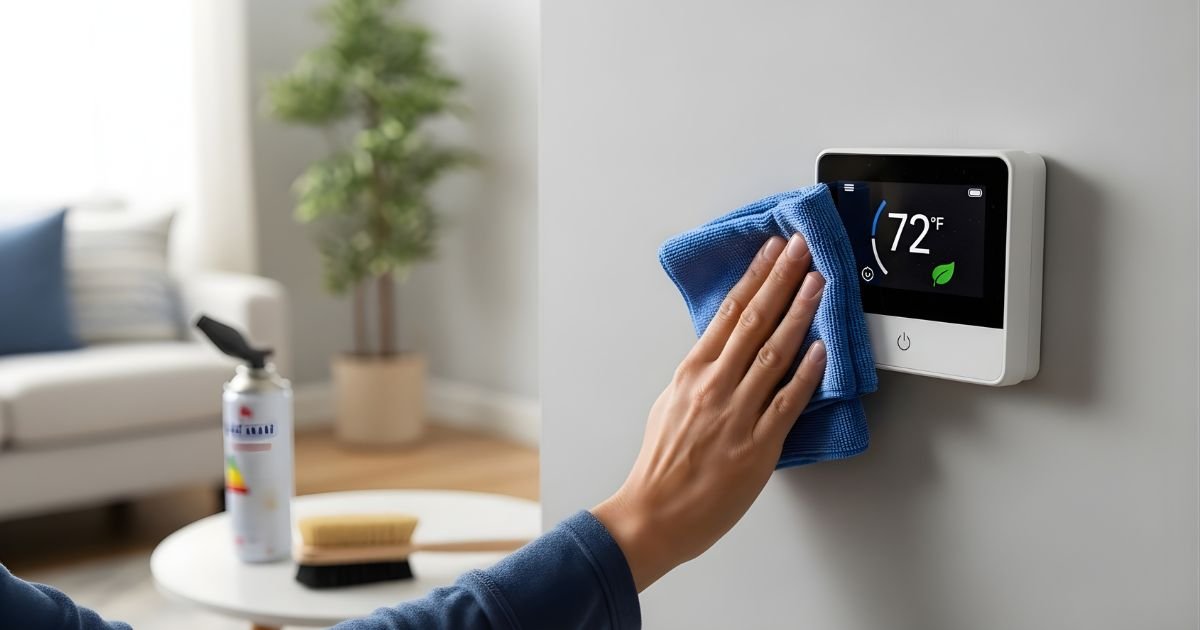
Your smart thermostat is more than just a gadget—it’s the key to keeping your home comfortable and energy bills low. But just like any device, it needs a little care to work its best.
If you’ve ever wondered how to clean and maintain your smart thermostat without hassle, you’re in the right place. You’ll discover simple steps to keep your thermostat running smoothly and extend its life. Ready to unlock the full potential of your smart thermostat?
Benefits Of A Clean Smart Thermostat
Keeping a smart thermostat clean has many benefits for your home. Dust and dirt can build up on the screen and sensors. This buildup can affect how well the thermostat works. A clean thermostat runs smoothly and lasts longer. It also saves energy and keeps your home comfortable.
Regular cleaning helps the thermostat read temperatures correctly. This means it can control heating and cooling better. A clean device uses less power, cutting down your energy bills. It also prevents errors that may cause the system to stop working.
Improved Temperature Accuracy
Dirt on sensors can cause wrong temperature readings. Cleaning the thermostat helps it sense room temperature well. This leads to better control of heating and cooling. Your home stays at the right temperature all day.
Energy Savings
A clean thermostat uses energy more efficiently. It avoids running heating or cooling too long. This reduces electricity use and lowers your bills. Energy savings help both your wallet and the environment.
Longer Device Life
Dust and grime can damage thermostat parts. Cleaning stops this damage and keeps parts working. A well-maintained thermostat lasts longer without repairs. This saves money on replacements and fixes.
Better User Experience
A clean screen looks nice and is easy to read. Buttons and touch screens work smoothly without sticking. This makes using the thermostat simple and pleasant. Clear displays help you set the right temperature fast.
Tools Needed For Cleaning
Cleaning a smart thermostat keeps it working well and extends its life. Using the right tools makes the job easier and safer. Small, simple items help remove dust and dirt without harming the device.
Gathering these tools before starting saves time. It also prevents damage to the thermostat’s delicate parts. Below are the essential tools to prepare for cleaning your smart thermostat.
Soft Microfiber Cloth
A soft microfiber cloth gently wipes the screen and buttons. It removes dust and smudges without scratching. Avoid rough fabrics to protect the thermostat surface.
Compressed Air Can
Compressed air clears dust from vents and small openings. It reaches spots that cloths cannot. Use short bursts to avoid moisture buildup inside the device.
Small Soft Brush
A small, soft brush cleans around buttons and edges. It loosens dirt in tight spaces safely. Choose a brush with gentle bristles to prevent damage.
Isopropyl Alcohol (70% Or Less)
Isopropyl alcohol disinfects and removes tough grime. Apply it lightly on a cloth, never directly on the thermostat. It evaporates quickly, leaving no residue.
Plastic Or Wooden Toothpicks
Toothpicks help remove dirt from crevices and seams. Use them carefully to avoid scratching. They are perfect for detailed cleaning in hard-to-reach areas.
Steps To Safely Clean Your Thermostat
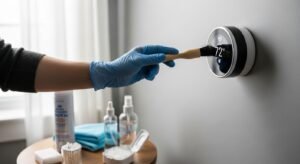
Cleaning your smart thermostat is important to keep it working well. Dirt and dust can cause problems over time. Follow these safe steps to clean your thermostat without causing damage. Simple care can extend its life and improve performance.
Always handle your thermostat gently. It has delicate parts that need special care. Use the right tools and methods for cleaning. This way, you protect your device and keep it looking good.
Power Off Before Cleaning
Turn off the thermostat before you start cleaning. This stops any electrical issues or accidental changes. Unplug your thermostat if possible. Safety first. Waiting a few minutes after turning off helps prevent damage.
Use Soft Cloth And Mild Cleaner
Choose a soft, dry cloth to wipe the surface. For tough spots, lightly dampen the cloth with mild soap and water. Avoid harsh chemicals or abrasive materials. These can scratch or harm the thermostat’s finish. Gently wipe without pressing hard.
Avoid Moisture Damage
Keep water away from openings and buttons. Excess moisture can damage internal parts. Never spray cleaner directly on the thermostat. Apply cleaner to the cloth first. Dry the thermostat with a dry cloth after cleaning to remove any moisture.
Clean The Display And Buttons
Use a soft cloth to clean the screen and buttons. Avoid sharp objects that can scratch the display. For buttons, use a slightly damp cloth to remove dirt. Make sure no liquid enters the gaps around buttons. Clean gently to keep the controls working well.
Maintaining Your Thermostat’s Performance
Maintaining your smart thermostat’s performance keeps your home comfortable and energy-efficient. Regular care helps the device work smoothly and lasts longer. Small steps can prevent bigger problems and save money on repairs.
Regular Software Updates
Smart thermostats need software updates to fix bugs and improve functions. Check for updates often through the thermostat app or settings menu. Updated software enhances security and adds useful features. Turn on automatic updates if available to stay current.
Check And Replace Batteries
Many smart thermostats use batteries for backup power. Check battery levels every few months. Replace old batteries with fresh ones to avoid sudden shutdowns. Use the recommended battery type for best results. Low batteries can cause inaccurate readings or loss of settings.
Monitor Sensor Accuracy
Sensors detect temperature and motion to control your HVAC system. Keep sensors clean and free from dust or obstructions. Test sensor accuracy by comparing thermostat readings to a separate thermometer. If readings differ, recalibrate the thermostat or consult the manual. Accurate sensors ensure better comfort and energy savings.
Troubleshooting Common Issues
Smart thermostats bring comfort and control to your home. Sometimes, they face issues that stop them from working well. Troubleshooting common problems helps keep your device reliable. This section covers simple fixes for usual troubles.
Unresponsive Screen
The screen may freeze or not react to touch. Start by restarting your thermostat. Unplug it or turn off the power for a few seconds. Then, power it back on.
Check if the screen is clean. Dirt and dust can block touch sensors. Use a soft, dry cloth to wipe the screen gently. Avoid using wet or harsh cleaners.
If the problem continues, check the power source. Make sure batteries are fresh or the device is properly connected to the power supply.
Connectivity Problems
Smart thermostats rely on Wi-Fi to work well. If the device loses connection, restart your router and thermostat. This often fixes many network issues.
Check your Wi-Fi signal strength near the thermostat. Weak signals cause disconnections. Move the router closer or use a Wi-Fi extender.
Verify that your thermostat software is up to date. Updates improve connection stability and add new features.
Inaccurate Temperature Readings
Incorrect readings affect your home’s comfort. Dust on the sensor can cause wrong data. Clean the sensor area carefully with a soft brush or cloth.
A thermostat placed near heat sources or direct sunlight may give false readings. Move the device to a better location if possible.
Reset the thermostat to factory settings if errors persist. This can clear software glitches affecting temperature accuracy.
Professional Maintenance Tips
Professional maintenance helps keep your smart thermostat working well. Experts can spot problems early. They ensure your system stays efficient and saves energy. Regular checks by a technician avoid costly repairs later. Trust the pros for tasks beyond basic cleaning and settings.
When To Call A Technician
Call a technician if your thermostat shows wrong temperatures. If the screen freezes or does not respond, it needs a check. Strange noises from your HVAC system also mean a visit is needed. Sudden jumps in your energy bills can signal thermostat issues. Professional help fixes these quickly and safely.
Annual Hvac System Check
Schedule a yearly HVAC check for best performance. Technicians clean and inspect all parts, including your thermostat. They check wiring, sensors, and connection to your heating and cooling system. This prevents breakdowns during extreme weather. A yearly check keeps your home comfortable all year.
Frequently Asked Questions
How Often Should I Clean My Smart Thermostat?
Clean your smart thermostat every 3 to 6 months. Use a soft, dry cloth to remove dust. Avoid harsh chemicals that can damage the screen or sensors. Regular cleaning ensures accurate temperature readings and extends device lifespan.
What Tools Are Needed To Maintain A Smart Thermostat?
You only need a soft microfiber cloth and a small brush. These help gently clean the screen and vents. Avoid using water or liquid cleaners to prevent damage. Proper tools keep your thermostat functioning smoothly.
Can I Update My Smart Thermostat Software?
Yes, regularly check for firmware updates via the app or device settings. Updates improve performance, fix bugs, and enhance security. Keeping software current ensures your thermostat runs efficiently and supports new features.
How To Reset My Smart Thermostat Safely?
Refer to the user manual for reset instructions specific to your model. Usually, pressing and holding a button for a few seconds works. Resetting can fix errors but may erase your settings, so back up preferences if possible.
Conclusion
Keeping your smart thermostat clean helps it work well and last longer. Regular care prevents dust and dirt buildup that can cause problems. Wipe the screen gently and check the sensors often. Updating the software also keeps it running smoothly.
Small steps like these save money on repairs. A well-maintained thermostat means better comfort in your home. Simple habits make a big difference over time. Start today to enjoy consistent temperatures and lower energy bills.
