

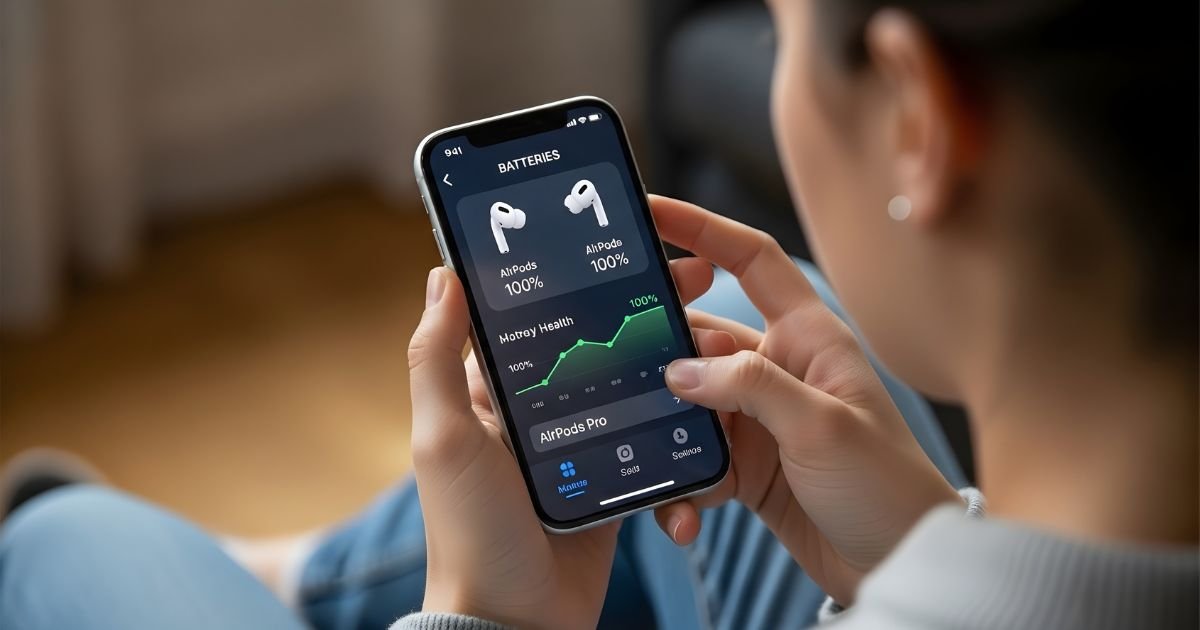
AirPods have transformed the way we experience sound, offering convenience and quality in a sleek design. But like all gadgets, they come with a limited battery life.
Understanding your AirPods battery health is crucial to keeping them performing at their best. Imagine being halfway through your favorite playlist or an important call when suddenly, you’re left with silence because of a drained battery. It’s frustrating!
That’s why knowing how to check the battery health of your AirPods can save you from unexpected interruptions. In this guide, we’ll explore everything you need to know about maintaining optimal battery health for your beloved AirPods.
From recognizing signs that it’s time for a check-up to step-by-step instructions on how to monitor their performance—let’s dive into ensuring that music flows without disruption and calls remain crystal clear!
Understanding Battery Health for AirPods

Battery health for AirPods refers to their ability to hold a charge over time. Just like any rechargeable device, the performance can decline as the batteries age.
AirPods use lithium-ion batteries, which are known for their efficiency and longevity. However, these batteries don’t last forever. Over time, you may notice shorter listening times between charges or longer charging durations.
Various factors affect battery health—usage patterns, temperature extremes, and even charging habits play significant roles. Frequent exposure to high heat can degrade battery capacity faster than usual.
Understanding your AirPod’s battery level is essential. It allows you to gauge when it might be time for a replacement or if troubleshooting steps are necessary. Keeping tabs on this aspect ensures that your audio experience remains uninterrupted and enjoyable.
Signs Your Airpod Battery Needs to Be Checked
If your AirPods are not holding a charge like they used to, it’s time for a battery check. When you find yourself constantly recharging them throughout the day, that’s a sign something isn’t right.
Another red flag is when one earbud dies faster than the other. This uneven performance can indicate that one of the batteries is deteriorating.
Pay attention to any sudden disconnections during use. If you notice frequent dropouts while listening to music or taking calls, it may be due to weak battery health.
If your charging case isn’t able to fully recharge your AirPods anymore, this could signal impending issues with both components. Recognizing these signs early can help extend the life of your devices and enhance your listening experience.
Step-by-Step Guide to Checking Airpod Battery Health
Checking the battery health of your AirPods is straightforward. Start by ensuring they are paired with your device.
Open the lid of your AirPod charging case while keeping it close to your iPhone or iPad. A pop-up will appear on your screen, displaying battery levels for both the case and individual AirPods.
You can also check battery status via Settings. Go to Bluetooth, find your AirPods on the list, and tap the ‘i’ icon next to them. This provides additional details about their connection and charge level.
For a more detailed look at battery health over time, consider using third-party apps designed for this purpose. They offer insights into performance trends that Apple’s interface may not reveal.
Regularly monitor these indicators to maintain optimal performance from your favorite audio companion.
Tips for Maintaining Optimal Battery Health

To keep your AirPods running smoothly, store them in their case when not in use. This helps protect the battery and prevents unnecessary drain.
Avoid exposing them to extreme temperatures. High heat can damage battery health, while cold temperatures may temporarily reduce performance.
Regularly update your AirPods firmware. Apple often releases updates that improve efficiency and optimize battery life.
Charge your AirPods regularly but avoid letting them drop to 0%. Keeping the charge between 20% and 80% is ideal for longevity.
Use one earbud at a time if you want to extend listening time during long sessions. This way, you can give one earbud a break while using the other.
Be mindful of Bluetooth connections; turning off unused features can conserve energy effectively.
Why is it important to check AirPods battery health?
Checking the battery health of your AirPods is essential for maintaining a seamless audio experience. Over time, lithium-ion batteries naturally degrade. This can lead to shorter listening times and unexpected interruptions.
Understanding battery health helps you identify when it’s time for replacements or troubleshooting. If your AirPods suddenly stop working during an important call or while enjoying music, frustration can arise quickly.
Regular checks also allow you to optimize performance. Knowing how much charge remains assists in planning usage throughout the day, ensuring you’re not caught off guard without a charge.
Additionally, monitoring battery health supports sustainability efforts. By being proactive about maintenance and replacement, you contribute to less electronic waste. Keeping your devices functioning longer reduces the need for new purchases too!
Ways to check Wireless earbuds battery health
To check your AirPod battery health, start by connecting them to your iPhone or iPad. Open the case lid and hold it close to your device. A pop-up window will show the battery percentage for both the AirPods and their case.
Another method involves using Siri. Simply ask, “What’s my AirPods battery percentage?” This voice command provides a quick status update without needing to fumble through settings.
For macOS users, click on the Bluetooth icon in the menu bar while your Wireless earbuds are connected. Hover over your devices, and you’ll see detailed information about their battery levels.
If you’re looking for more technical insights, apps like CoconutBattery can provide deeper analytics regarding charge cycles and overall battery capacity. These methods ensure you’re always aware of how much power is left before heading out with your favorite tunes blasting.
Common issues with AirPod batteries and how to troubleshoot them
AirPods are convenient, but their batteries can sometimes be troublesome. One common issue is rapid battery drain. If your AirPods seem to lose charge too quickly, it may be due to frequent use or environmental factors affecting performance.
Another problem users encounter is the charging case not properly recharging the AirPods. Ensure that both the case and Wireless earbuds are clean and free of debris. Dirt can interfere with connections, causing poor charging.
Sometimes, you might notice one earbud sounds quieter than the other. This could indicate an imbalance caused by a low battery in one pod or even dirt blocking sound pathways. Regularly clean your AirPods for optimal audio quality.
If you’re experiencing connectivity issues, resetting your AirPods can help restore their functionality. Simply forget them from your Bluetooth settings and reconnect after a brief restart of your device.
Alternatives to AirPods with longer battery life
If you’re seeking alternatives to Wireless earbuds with longer battery life, there are several impressive options available.
The Jabra Elite 75t is a standout choice. It boasts up to 28 hours of total playtime with its charging case, allowing for extended listening sessions without interruption.
Another model worth considering is the Sony WF-1000XM4. These earbuds not only deliver outstanding sound quality but also offer around eight hours of use on a single charge, complemented by an additional 16 hours from their case.
For those who prioritize comfort and stability during workouts, the Bose Sport Earbuds provide about five hours per charge and come with an easy-to-carry case that adds another ten hours of battery life.
Consider the Anker Soundcore Liberty Air 2 Pro. With customizable sound features and up to seven hours of playback time plus extra from the case, they present great value in terms of performance and endurance.
Conclusion
Understanding the health of your Wireless earbuds battery is essential for a seamless listening experience. By recognizing the signs that indicate your battery may need attention and following our step-by-step guide, you can easily check its status. Maintaining optimal battery health through proper care not only extends their lifespan but ensures that you get the most out of your device.
Regularly checking your AirPods’ battery health allows you to address any issues promptly, avoiding frustrating interruptions during use. If you’re encountering common problems with your AirPod batteries, remember that troubleshooting can often resolve them without needing a replacement.
For those who find themselves frequently in need of longer-lasting audio experiences, exploring alternatives to Wireless earbuds with superior battery life might be worthwhile. Taking these measures will help enhance your overall experience and keep the music playing longer.
