

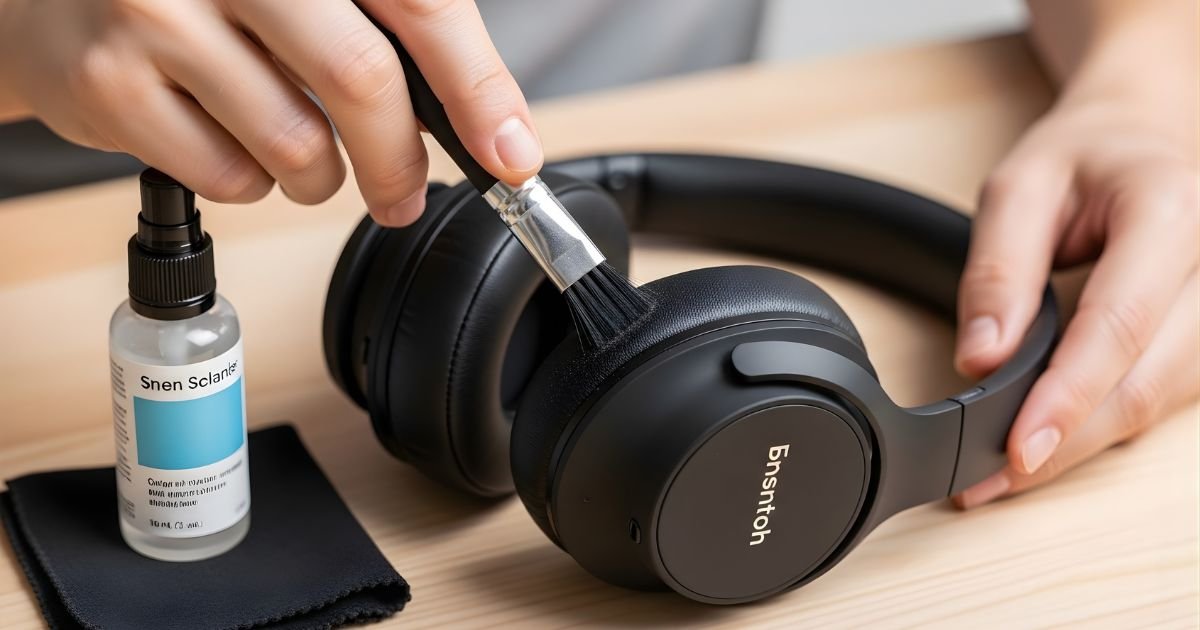
Your wireless headphones are your constant companion, whether you’re working out, commuting, or just relaxing. But have you ever stopped to think about how clean they really are?
Dirt, sweat, and earwax can build up quickly, affecting sound quality and comfort. If you want your headphones to last longer and sound better, it’s time to learn the right way to clean them. Keep reading, and you’ll discover simple, effective steps to keep your wireless headphones fresh and like new.
Tools Needed
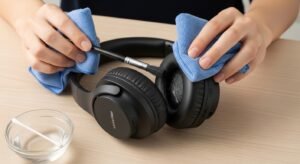
Cleaning wireless headphones needs the right tools. Using proper items protects your device from damage. It also helps remove dirt and grime effectively. Gather these simple tools before starting your cleaning.
Soft Cloths And Brushes
Soft cloths are essential for wiping headphones. Microfiber cloths work best to avoid scratches. Small brushes help clean hard-to-reach areas. Use a soft-bristled brush to remove dust gently.
Cleaning Solutions
Use mild cleaning solutions to avoid damage. A mixture of water and isopropyl alcohol works well. Avoid harsh chemicals that can harm materials. Lightly dampen cloths with the solution for safe cleaning.
Additional Accessories
Cotton swabs help clean small crevices and ear tips. Toothpicks can remove debris from tiny holes carefully. Use compressed air cans to blow out dust without touching parts. These tools make cleaning precise and thorough.
Preparing Your Headphones
Preparing your wireless headphones is the first step to clean them safely. This step protects the device from damage. It also helps you clean all parts properly. Take your time to get ready before starting the cleaning process.
Power Off And Disconnect
Turn off your headphones completely. This stops any accidental commands or damage. Remove them from any connected devices like phones or laptops. Disconnecting ensures no power flows during cleaning. It keeps you safe and protects the electronics inside.
Remove Ear Tips And Cushions
Take off any removable ear tips and cushions gently. These parts collect dirt and earwax. Cleaning them separately is easier and more effective. Use soft hands to avoid tearing or damaging these pieces. Set them aside for separate cleaning with mild soap and water.
Cleaning Ear Tips And Cushions
Cleaning ear tips and cushions is key to keeping wireless headphones fresh and comfortable. Dirt, sweat, and earwax build up quickly. This affects sound quality and hygiene. Regular cleaning helps your headphones last longer and feel better on your ears. Different materials need different care methods.
Washing Silicone Tips
Remove the silicone tips gently from the headphones. Rinse them under warm water to remove surface dirt. Use mild soap to clean stubborn grime. Rub softly with fingers to avoid damage. Rinse well to remove all soap. Pat dry with a clean cloth. Avoid harsh chemicals that can degrade silicone.
Cleaning Foam Cushions
Foam cushions require delicate handling. Remove cushions carefully from headphones. Use a damp cloth with mild soap to wipe them down. Do not soak foam cushions in water. Press gently to avoid tearing. Rinse the cloth and wipe again to remove soap. Let air dry completely before reattaching.
Drying Tips Properly
Drying is important to prevent mold and damage. Place silicone tips and foam cushions on a clean towel. Avoid direct sunlight or heat sources. Allow them to air dry fully. Do not use a hairdryer or heater. Make sure no moisture remains before putting tips back on. Proper drying keeps headphones safe and hygienic.
Cleaning The Headphone Body
Cleaning the body of your wireless headphones keeps them looking fresh and working well. Dirt, sweat, and oils from your skin build up over time. Regular cleaning helps stop damage and keeps your headphones hygienic. Follow these simple steps to clean the headphone body safely.
Wiping Surfaces
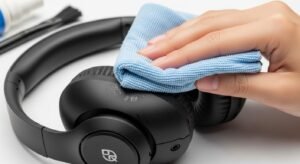
Use a soft, dry cloth to wipe the headphone surfaces. Microfiber cloths work best to avoid scratches. Gently remove dust and dirt from the headband and ear cups. For sticky spots, lightly dampen the cloth with water. Never apply liquid directly on the headphones. Wipe in smooth, circular motions for better results.
Cleaning Speaker Grilles
Speaker grilles catch sweat and dust easily. Use a soft brush or a dry cotton swab to clean them. Avoid pushing dirt deeper into the grille. Be gentle to protect the delicate mesh. Small, controlled strokes help remove buildup without damage.
Avoiding Moisture Damage
Moisture harms headphone electronics and finishes. Avoid soaking or spraying water near the components. Use only slightly damp cloths for cleaning. Let headphones dry completely before using or storing. Keep them away from humid places to extend their life.
Maintaining Sound Quality
Maintaining the sound quality of your wireless headphones is key for the best listening experience. Dirt and debris can block the sound, making it less clear. Regular cleaning helps keep your headphones working like new. Follow simple steps to keep the sound crisp and clear.
Removing Debris From Mesh
The mesh covers the speaker and protects it from dust. Use a soft brush or a dry cloth to clean the mesh gently. Avoid pressing too hard to prevent damage. Small particles can block the sound, so cleaning the mesh is important. Do this regularly to keep the sound clear.
Checking For Blockages
Look inside the ear cups for any dirt or wax buildup. Blockages reduce sound quality and volume. Use a small tool like a toothpick carefully to remove any buildup. Do not push too deep to avoid damaging the headphones. Keeping the inside clean ensures the best sound performance.
Tips For Regular Maintenance
Keeping wireless headphones clean helps them last longer. Dirt and sweat can damage parts or affect sound quality. Regular care prevents these problems. Follow easy tips to maintain your headphones every day.
Routine Cleaning Schedule
Clean headphones at least once a week. Use a soft, dry cloth to wipe surfaces. Avoid water or harsh chemicals. For ear tips, remove and wash with mild soap and water. Let them dry fully before reattaching. Clean speaker grills gently with a dry brush. This keeps sound clear and parts working well.
Safe Storage Practices
Store headphones in a dry, cool place. Use a protective case to stop dust and damage. Avoid leaving them in direct sunlight or hot areas. Always turn off headphones before storing. Keep cables untangled and avoid bending them sharply. Proper storage keeps headphones safe and ready to use.
Frequently Asked Questions
How Often Should I Clean My Wireless Headphones?
You should clean your wireless headphones every 1-2 weeks. Regular cleaning prevents dirt buildup and maintains sound quality. Avoid moisture near electronic parts to protect the device.
What Materials Are Safe For Cleaning Headphones?
Use a soft microfiber cloth, cotton swabs, and isopropyl alcohol (70%). Avoid harsh chemicals or abrasive materials to prevent damage to headphones.
Can I Use Water To Clean Wireless Headphones?
Avoid using water directly on headphones. Instead, dampen a cloth lightly with water or alcohol for cleaning. Excess moisture can damage internal components.
How Do I Clean Ear Tips Of Wireless Headphones?
Remove the ear tips and wash them with warm soapy water. Rinse and dry completely before reattaching to avoid moisture damage.
Conclusion
Keeping wireless headphones clean helps them last longer and work better. Use soft cloths and gentle cleaners to avoid damage. Regular care stops dirt and earwax buildup. Clean headphones feel fresh and sound clear. Small steps make a big difference in performance.
Take time to clean your headphones every week. Enjoy better sound and comfort with simple habits. Clean gear means happy listening every day.
