

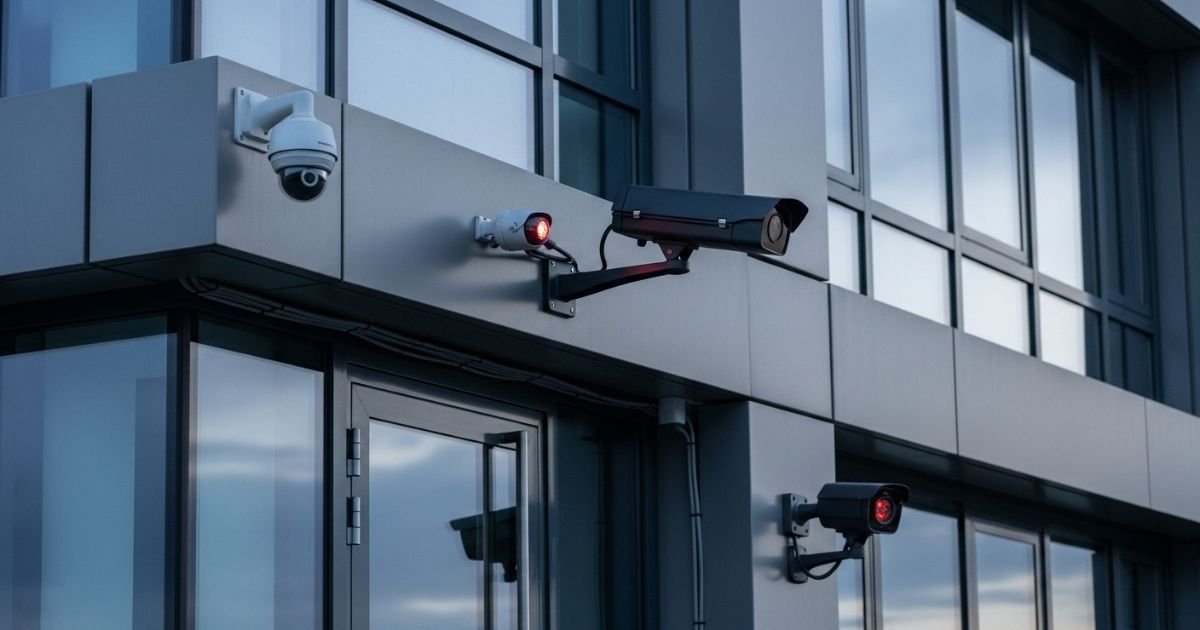
Are you worried about the safety of your home and loved ones? Installing security cameras is a smart step, but where you place them makes all the difference.
The right spots can catch every important detail, while the wrong ones might leave blind spots you didn’t expect. You’ll discover the best places to install your home security cameras—spots that protect your property and give you real peace of mind.
Keep reading, and make sure your home stays safe, day and night.
Front Door Coverage
The front door is the main entry point to your home. It is where visitors and delivery people arrive. Protecting this area with security cameras helps keep your home safe. Cameras here can catch anyone approaching or trying to enter.
Key Entry Points
Focus on the front door itself. Place a camera above or beside the door. This spot shows who rings the bell or uses a key. Also, cover any side doors or garage entrances near the front. These points can be targets for burglars. Clear camera views help identify faces and actions.
Porch And Walkway Monitoring
Watch the porch area and the path leading to your door. Cameras here record package deliveries and visitors waiting. They also spot unusual activity early. Wide-angle cameras work well to cover these spaces. Good lighting improves camera performance day and night.
Backyard And Rear Entry
Backyard and rear entry points often attract unwanted visitors. These areas are less visible from the street. This makes them common targets for theft or vandalism. Installing security cameras here helps protect your home and family. It also gives you peace of mind when you are away.
Garage And Side Doors
Garages and side doors are easy access points for intruders. Cameras should cover these entryways clearly. Place cameras above the doors for a full view of anyone approaching. Make sure the camera angle captures faces and movements. Motion detection features increase security during night hours.
Garden And Patio Areas
Gardens and patios are popular spots for outdoor activities. These areas can hide suspicious activity. Cameras here monitor unusual movements around windows and fences. Position cameras to cover the entire space. Use weatherproof cameras to withstand outdoor elements. This setup protects your property and loved ones effectively.
Perimeter And Fence Lines
Placing security cameras around your home’s perimeter and fence lines helps protect your property. These spots catch movement early and keep watch on entry points. Cameras here create a strong first layer of security. They can spot visitors, trespassers, or suspicious activity before anyone reaches your door.
Driveway Surveillance
Driveways are key access points for cars and people. A camera here records every vehicle that comes in or out. It helps identify visitors or delivery drivers. This coverage also deters thieves looking for easy targets. Position cameras to see the whole driveway clearly. Night vision features improve safety after dark.
Fence And Gate Monitoring
Fences and gates form the boundary of your home. Cameras placed here watch for anyone trying to climb or open them. They provide clear video of anyone near your property line. This monitoring can alert you to potential threats early. Choose cameras that cover long fence stretches with minimal blind spots.
Indoor Camera Placement
Placing indoor Home Security cameras correctly helps protect your home better. Cameras inside catch unusual activities early. They watch spots where people move often or try to hide.
Main Living Areas
Main living areas like the living room or family room are good spots. These spaces usually have many entrances and windows. Cameras here can cover wide views of daily activities. They help spot strangers or unexpected visitors fast. Place cameras high in corners for a full view.
Entryways And Hallways
Entryways and hallways connect rooms and lead outside. Home Security Cameras here catch anyone moving between areas or entering the home. These spots show who comes and goes clearly. Mount cameras near doors and along hallways. This setup helps track movement without blind spots.
Camera Height And Angles
Proper camera height and angle improve security camera effectiveness. Mounting cameras at the right height helps capture clear footage. The angle determines what the camera can see. Small changes in height or tilt can cover more area. Understanding these basics makes your home safer.
Optimal Mounting Heights
Mount Home Security cameras 8 to 10 feet above the ground. This height prevents easy tampering. It also captures faces clearly. Avoid placing cameras too high. Too high makes details hard to see. Keep cameras steady and secure to avoid shaking.
Adjusting For Blind Spots
Blind spots are areas Home Security cameras cannot see. Check your property for these hidden zones. Tilt cameras slightly downward to cover blind spots. Use multiple cameras to cover large areas. Test angles during different times of day. Adjust cameras to reduce shadows and glare.
Lighting And Visibility
Lighting and visibility play a big role in placing home security cameras. Good lighting helps cameras capture clear images. Poor light can hide important details or create blurry footage.
Choosing spots with steady light improves camera performance. Outdoor cameras need enough light to see faces and movements. Indoor cameras should avoid dark corners or overly bright windows.
Night Vision Tips
Many Home Security cameras have night vision to see in the dark. Make sure no bright lights shine directly into the camera. This can stop night vision from working well.
Use cameras with infrared lights for clear night images. Place them where light is low but not completely dark. Avoid metal or glass reflections that block infrared light.
Avoiding Glare And Shadows
Glare from the sun or bright lights can blur camera views. Position cameras so sunlight does not hit the lens directly. Early morning or late afternoon sun often causes glare.
Shadows create dark spots that hide details. Avoid placing cameras behind objects that cast shadows. Test camera views at different times of the day for best results.
Privacy Considerations
Privacy is very important when placing home security cameras. Cameras protect your home but can also capture private moments. Careful thought helps keep trust with neighbors and family. Respecting privacy creates a safer, more comfortable environment for everyone.
Balancing Security And Privacy
Place Home Security cameras to cover entrances and driveways. Avoid pointing cameras at neighbors’ yards or windows. Focus on areas where security is most needed. Use camera settings to limit recording areas. Clear signs about cameras inform visitors and neighbors. This balance keeps safety without invading privacy.
Legal Guidelines For Camera Placement
Know local laws about home security cameras. Most laws ban recording inside private spaces like bathrooms. Do not record audio without consent in many places. Avoid filming public sidewalks in some areas. Check rules about notifying visitors about cameras. Following laws prevents fines and respects others’ rights.
Smart Camera Integration
Smart camera integration makes home security easier and more effective. These cameras connect with other smart devices, creating a safer home. They offer features that go beyond simple recording. You can control and monitor your cameras from anywhere. This section explains how to connect cameras with home automation and use remote monitoring.
Connecting To Home Automation
Smart cameras link with home automation systems easily. They work with smart lights, locks, and alarms. When a camera detects motion, it can trigger other devices. For example, lights can turn on automatically at night. This helps to scare off intruders. Voice assistants like Alexa or Google Home control cameras by voice commands. Integration simplifies managing all devices from one app. It creates a seamless security network in your home.
Remote Monitoring Features
Remote monitoring lets you watch your Home Security anytime and anywhere. Use your smartphone or tablet to check live video feeds. Receive instant alerts if the camera spots unusual activity. Some cameras allow two-way talk to communicate with visitors. You can save video clips to cloud storage for later review. These features provide peace of mind when you are away. Remote access keeps you connected to your home security at all times.
Maintenance And Upkeep
Maintaining home security cameras is key for reliable protection. Regular upkeep keeps cameras working well and extends their life.
Ignoring maintenance can cause missed alerts or blurry footage. Simple steps help avoid these issues and keep your system ready.
Regular Testing
Test your cameras often to check they capture clear images. Walk around the camera view to confirm coverage. Make sure motion detection triggers alerts correctly. Test both daytime and nighttime views for full reliability. Fix any problems immediately to keep your home safe.
Cleaning And Firmware Updates
Clean camera lenses regularly to remove dust and dirt. Use a soft cloth to avoid scratches. Check for spider webs or debris blocking the view. Keep the camera software updated for best performance and security. Firmware updates fix bugs and improve features. Set reminders to check updates monthly or quarterly.
Frequently Asked Questions
Where Is The Best Spot To Install Home Security Cameras?
The best spots are entry points like doors and windows. Also, cover driveways and blind spots. Place cameras high for a wide view and to avoid tampering.
How Many Cameras Do I Need For Home Security?
Typically, 4 to 6 cameras cover most homes well. Focus on main entrances, garage, backyard, and common areas. More cameras improve security but balance cost and coverage.
Should Cameras Be Visible Or Hidden For Security?
Visible cameras deter intruders by signaling surveillance. Hidden cameras catch criminals unaware, providing evidence. A mix of both offers deterrence and effective monitoring.
Can I Place Cameras Indoors For Better Security?
Yes, indoor cameras monitor valuables, kids, and pets. Install near main entrances and hallways. Indoor cameras complement outdoor ones for full home security coverage.
Conclusion
Placing security cameras in the right spots helps protect your home better. Focus on entry points like doors and windows. Don’t forget areas like driveways and backyards. Good camera placement can stop problems before they start. Keep cameras visible to deter unwanted visitors.
Check your camera angles often to cover blind spots. A well-planned setup gives you peace of mind. Stay safe, stay aware.
