

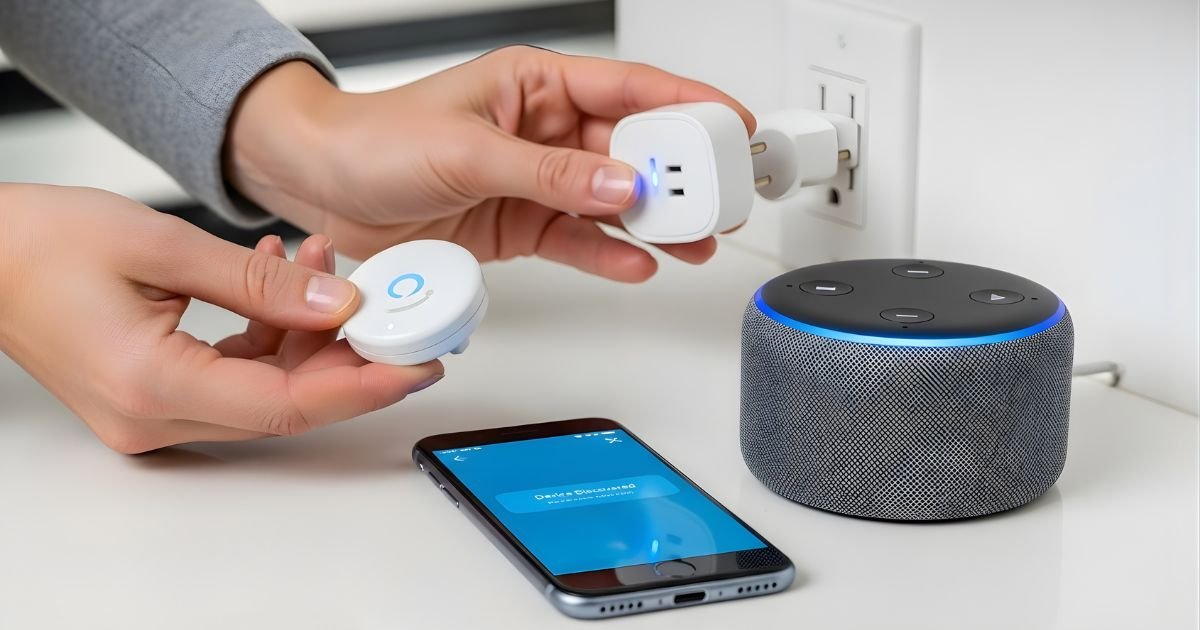
Imagine controlling your home devices with just your voice. Sounds simple, right?
Setting up a smart plug with Alexa can make this a reality for you. Whether you want to turn off your lamps without leaving the couch or schedule your coffee maker to start brewing in the morning, this guide will show you exactly how to get started.
By the end, you’ll have your smart plug connected and ready to respond to your commands, making your daily routine easier and more enjoyable. Ready to transform your home into a smart home? Let’s dive in!
Choose The Right Smart Plug
Choosing the right smart plug is important for a smooth Alexa setup. It ensures your devices work well and meet your needs. Picking a smart plug without checking key details can cause problems. Focus on three main factors before buying.
Compatibility With Alexa
Check if the smart plug works with Alexa. Not all smart plugs support Alexa voice commands. Look for products that say “Works with Alexa” on the box or in the description. This ensures easy setup and control through your Alexa app.
Power Requirements
Know the power needs of your devices before choosing a smart plug. Some smart plugs handle only low-power devices like lamps. Others support higher power devices like heaters or kitchen appliances. Using the wrong plug can cause damage or stop working.
Additional Features
Some smart plugs offer extra features. Look for timers, energy monitoring, or remote control options. These features add convenience and help save energy. Choose a smart plug with features that suit your daily routine.
Prepare Your Alexa Device
Preparing your Alexa device is the first step to control your smart plug easily. This preparation ensures smooth communication between Alexa and your smart plug. Follow simple steps to get Alexa ready for your smart home setup.
Check Device Connection
Make sure your Alexa device is powered on and connected to Wi-Fi. A strong internet connection helps Alexa respond quickly. Check if Alexa hears your voice commands clearly. Place Alexa near your smart plug for better signal strength.
Update Alexa App
Open the Alexa app on your smartphone. Check for app updates in your device’s app store. Updating the app fixes bugs and improves performance. The latest version supports new devices and features. Always keep the app up to date for the best experience.
Enable Necessary Skills
Go to the Alexa app and select “Skills & Games.” Search for the smart plug brand’s skill. Tap “Enable” to link the skill to Alexa. Log in with your smart plug account if needed. Enabling skills lets Alexa control the smart plug correctly.
Install The Smart Plug
Installing your smart plug is the first step to controlling devices with Alexa. This process is simple and quick. Follow these steps carefully to ensure your smart plug works perfectly.
Plug Into Power Outlet
Take your smart plug and find a nearby power outlet. Push the smart plug firmly into the socket. Make sure it fits tightly and does not wobble. The a Smart Plug should show a light or indicator that it has power. This means it is ready for setup.
Reset The Device If Needed
Sometimes, the smart plug may need a reset. This is common if it was used before or not working properly. To reset, press and hold the reset button for about 5 to 10 seconds. The light will blink or change color. This signals the device has reset and is ready to connect again.
Connect Smart Plug To Wi-fi
Connecting your smart plug to Wi-Fi is the key step to control it using Alexa. The plug needs a strong Wi-Fi connection to communicate with Alexa and your smartphone app. This process is simple and quick, ensuring your smart devices work smoothly.
Select Network
Start by opening a Smart Plug app on your phone. The app will show a list of nearby Wi-Fi networks. Find your home Wi-Fi network in the list. Tap on it to select. Make sure you choose the correct network to avoid connection problems.
Enter Password
After selecting the network, the app asks for the Wi-Fi password. Type the password carefully. Check for any typos or errors. The password is case-sensitive, so use capital and small letters correctly. This step secures your connection.
Confirm Connection
Once you enter the password, the app will try to connect the smart plug to Wi-Fi. This may take a few seconds. Wait patiently until the app confirms the connection. A message or green light on the smart plug shows success. Now, your smart plug is ready for Alexa control.
Add Smart Plug In Alexa App
Adding a Smart Plug to the Alexa app is the next step after plugging it in. This lets Alexa control your device with voice commands. The process is quick and simple. Follow the steps below to get started.
Open Devices Section
First, open the Alexa app on your smartphone. Look for the “Devices” icon at the bottom of the screen. Tap on it to open the devices section. This area shows all smart devices linked to Alexa.
Discover New Device
Next, tap the “+” symbol in the top right corner. Choose “Add Device” from the list. Select “Plug” as the device type. The app will start searching for your smart plug. Make sure the plug is powered on and in pairing mode.
Name Your Smart Plug
Once Alexa finds your a Smart Plug, give it a clear name. Use simple words like “Living Room Lamp” or “Coffee Maker.” This helps Alexa understand your commands. Now you can control the plug by saying, “Alexa, turn on the Living Room Lamp.”
Create Alexa Routines For Automation
Creating Alexa routines helps you automate your smart plug effortlessly. You can control devices based on time, voice commands, or other actions. These routines make your daily life simpler and more efficient.
With Alexa routines, your smart plug can turn on lights, start appliances, or manage multiple devices at once. This section explains how to create these routines easily.
Set Schedule
Open the Alexa app and go to the Routines section. Tap the plus icon to create a new routine. Choose a time or day to start the routine. Select your smart plug as the action device. Set it to turn on or off at the chosen time. Save the routine to activate the schedule. Your a Smart Plug now works automatically at set times.
Use Voice Commands
Create routines triggered by your voice commands. In the Alexa app, add a new routine with a voice phrase as the trigger. For example, say “Alexa, start the coffee maker.” Link this phrase to your smart plug action. Alexa listens and activates the plug when you speak. This method offers hands-free control with simple commands.
Group Multiple Devices
Manage several smart plugs together by grouping them. In the Alexa app, create a group and add your smart plugs. You can name it “Living Room” or “Bedroom.” Use routines to control all devices in the group at once. This saves time and keeps your home organized. One command can switch many devices on or off.
Troubleshooting Common Issues
Setting up a smart plug with Alexa is usually simple. Still, some common issues can appear. Knowing how to fix these problems helps keep your devices working well. Troubleshooting is key to a smooth experience with smart home devices.
Connectivity Problems
Smart plugs need a strong Wi-Fi connection to work. Check if your Wi-Fi is on and stable. Move your smart plug closer to the router if the signal is weak. Restart your router and a Smart Plug to refresh the connection. Use the Alexa app to check if the device shows as online.
Device Not Responding
Sometimes Alexa may not hear or respond to commands. Make sure the smart plug is plugged in and powered on. Check the Alexa app to confirm the device is connected. Restart the smart plug and Alexa device to fix temporary glitches. Clear any physical obstructions blocking the Alexa device’s microphone.
Alexa Skill Errors
A Smart Plug often need a specific Alexa skill to work. Enable the correct skill in the Alexa app. Link your smart plug account to Alexa for control. Disable and re-enable the skill if errors continue. Update the Alexa app and smart plug firmware to avoid compatibility issues.
Frequently Asked Questions
How Do I Connect A Smart Plug To Alexa?
To connect a smart plug, first plug it in and power it on. Open the Alexa app, tap “Devices,” then “Add Device. ” Select “Plug,” choose your brand, and follow the setup prompts to connect your smart plug to Alexa.
What Alexa Commands Work With Smart Plugs?
You can use commands like “Alexa, turn on the lamp,” or “Alexa, turn off the fan. ” Alexa controls power to devices connected via smart plugs using simple voice commands.
Can I Schedule Smart Plug Actions With Alexa?
Yes, you can schedule a Smart Plug actions through the Alexa app. Go to “Routines,” create a new routine, and set the smart plug to turn on or off at specific times.
Is My Smart Plug Compatible With Alexa?
Most smart plugs support Alexa, but check your device’s specifications. Compatibility is usually listed on the packaging or manufacturer’s website before purchase.
Conclusion
Setting up a smart plug with Alexa is simple and fast. Just follow the steps carefully. Now, you can control your devices using voice commands. This makes daily tasks easier and saves energy. Enjoy the convenience of smart home technology today.
Try it yourself and see the difference. Smart plugs work well with many devices around your home. Start small and add more as you go. Your home becomes smarter, one plug at a time.
