

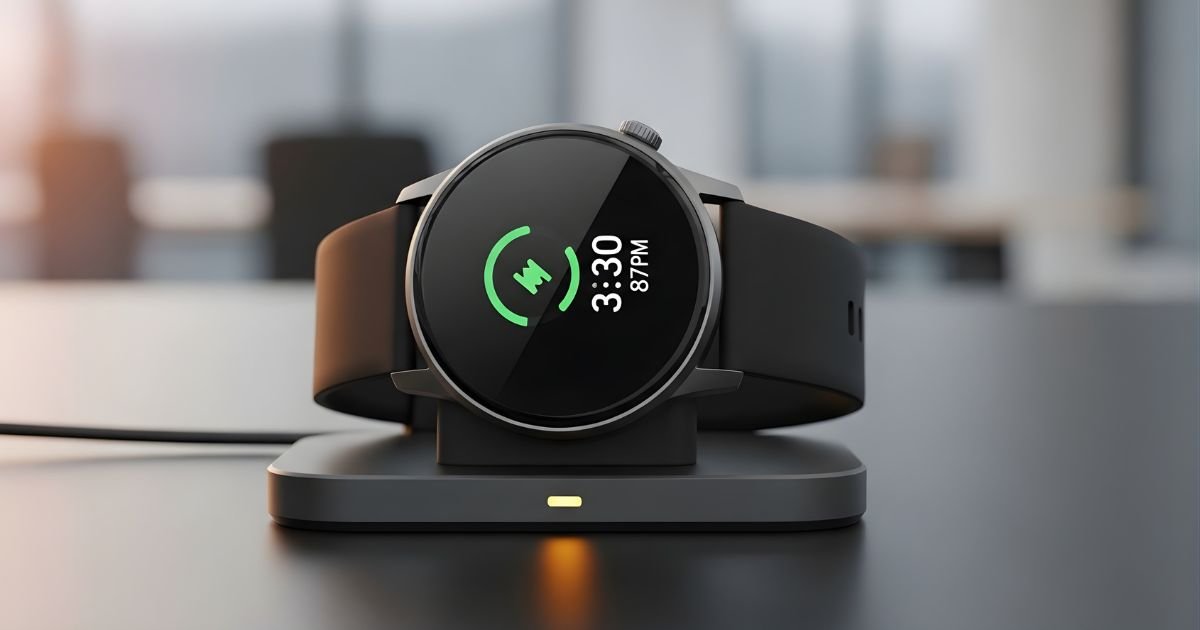
Your smartwatch is not only a companion in everyday life it’s your go-to accessory to help keep you connected on all fronts throughout the day. But as with all electronic devices, it requires regular charging if you want it to remain in top form.
Here’s How to Charge a Smartwatch the right way, whether you’re unboxing your first wearable or want to get more out of your current charging cycle. It really can have a big impact on long-term longevity and reliability.
This guide takes you through everything from understanding your charging system to common problems, helping to ensure that your device remains charged and ready for action. We’ll address the basics of taking care of batteries, manufacturers’ recommendations, and smart-charging practices that keep your investment intact but make it easier to enjoy.
How Smartwatch Charging Works
But until you know the type of charging technology your smartwatch uses, it is difficult to charge your device efficiently. There are three major methods used to charge a smartwatch today, and each has its own unique characteristics and requirements.
The magnetic charging cable continues to be the most common, with built-in magnets to click your watch into place on a round or rectangular charging puck. It’s what Apple Watch, many Samsung models, and numerous other manufacturers prefer because it forms a secure connection and is the simplest for end users.
Another option is magnetic wireless charging pads, which utilize Qi wireless charging technology and allow you to place your watch on a flat surface to initiate the charge. Other fitness-centered companies use their own proprietary, clip-on chargers or a cradle dock that actually holds the watch while it charges.
Double-check the packaging or your smartwatch’s user manual to see which method applies to your watch; using the wrong charger may damage it, or in the best-case scenario, do absolutely nothing.
How to Charge a Smartwatch: Step-by-Step Instructions
Preparing Your Smartwatch for Charging
Step 1: Clean the charging contacts on both your smartwatch and the charging cable. Use a soft, lint-free cloth to gently wipe away any dust, sweat, or debris that may have accumulated. Dirty contacts are one of the most common reasons for charging failures.
Step 2: Ensure your charging cable is properly connected to a power source. You can use a USB wall adapter, computer USB port, or portable power bank. For optimal charging speed, use the adapter that came with your smartwatch or one that meets the manufacturer’s specifications.
Step 3: Check that your smartwatch has enough battery to initiate charging. If the battery is completely depleted, you may need to leave it on the charger for several minutes before the charging indicator appears.
Connecting Your Smartwatch to the Charger
Step 4: Position your smartwatch on the charging cable or pad. For magnetic chargers, align the back of the watch with the charging disc—you’ll feel the magnets click into place when properly positioned. The watch face should be facing up in most cases.
Step 5: Verify the charging connection. Most smartwatches display a charging icon, battery percentage, or lightning bolt symbol on the screen when successfully connected. Some models also vibrate briefly to confirm charging has begun.
Step 6: Ensure the charging cable remains stable. Place your setup on a flat, stable surface away from edges where it might be knocked off. Avoid charging your smartwatch on soft surfaces like beds or couches that might block ventilation.
Monitoring the Charging Process
Once connected, your smartwatch will typically take one to three hours to fully charge, depending on the model and battery capacity. During this time, keep an eye on the battery percentage indicator to track progress.
Most modern smartwatches are designed with overcharge protection, meaning they’ll stop drawing power once the battery reaches 100%, but it’s still good practice not to leave your device on the charger for extended periods beyond what’s necessary.
Charging Different Smartwatch Brands
Apple Watch Charging Specifics
Apple Watch models use a magnetic charging cable with a circular puck that aligns with the watch’s back. Newer models support fast charging with the appropriate 20W USB-C power adapter, filling the battery to 80% in about 45 minutes. Always use Apple-certified cables or MFi-certified third-party options to avoid compatibility issues.
Samsung Galaxy Watch Charging
Samsung Galaxy Watch devices typically use wireless charging pads or magnetic charging docks. Many recent models support the Wireless PowerShare feature, allowing you to charge your watch on the back of compatible Samsung phones. Ensure the watch is centered on the charging pad for optimal power transfer.
Garmin and Fitbit Devices
Garmin smartwatches often use proprietary clip-on charging cables that attach to specific contact points on the watch. Fitbit devices vary by model, with some using clip chargers and others using magnetic charging cables. Both brands emphasize the importance of keeping charging contacts clean for reliable connections.
Best Practices for Smartwatch Battery Health
There’s more to keeping your smartwatch battery happy than just plugging it in when the power gets low. By following some simple charging habits, you can extend the useful life of your battery to years and maintain its capacity.
Try to avoid running your battery down to nothing now and then: Lithium-ion batteries, which are what is used within a smartwatch (and for that matter, virtually all of our portable electronic gear), perform best when their charge is kept between around 20% and 80%.
Temperature is also key to battery health. Charge your smartwatch in an environment between 50°F and 95°F (10°C to 35°C), especially when the ambient temperature is not too hot or cold, thereby prevent battery cells from being damaged permanently by extreme temperatures.
If you plan to store your smartwatch away for a longer period, top it up somewhere between 30% and 50%, then switch it off—then repeat this every few months if you want to avoid damage from deep discharging.
Troubleshooting Common Charging Issues
Smartwatch Won’t Charge
If your smartwatch refuses to charge, start with the basics. Inspect both the charging cable and the watch’s charging contacts for visible damage, corrosion, or debris. Try a different power source—if you were using a computer USB port, switch to a wall adapter.
Restart your smartwatch by holding down the power button, as software glitches can sometimes interfere with charging. If you’re using a third-party charging cable, switch to the original manufacturer’s cable to rule out compatibility problems.
Slow Charging Problems
Slow charging often results from using an inadequate power adapter. Check that your adapter provides sufficient wattage for your specific smartwatch model. Background activities like GPS tracking, continuous heart rate monitoring, or active workout sessions can slow charging considerably.
Close unnecessary apps and enable airplane mode while charging to speed up the process. A degraded battery in older smartwatches will naturally charge more slowly and hold less charge—this is normal after 2-3 years of regular use.
Charging Stops Intermittently
Intermittent charging typically indicates a poor connection. Ensure your smartwatch is properly aligned on the charger and that nothing is preventing full contact between the charging surfaces.
Protective cases or screen protectors that extend around the watch edges can sometimes interfere with charging—remove them if necessary. Loose charging cables or damaged USB ports can also cause intermittent connections, so try a different cable and power source.
Maximizing Your Smartwatch Battery Life Between Charges
In addition to charging correctly, there are a few other methods that can make your smartwatch last longer on one charge. Lowering the screen brightness to a comfortable minimum and decreasing the time it takes for the screen to turn off after inactivity will generally conserve power.
Turn off features you don’t use too much, such as always-on display, continuous heart rate monitoring, or background app refresh for infrequently used apps. Turn notifications off for most apps — every vibration, screen wake kills the battery. Use the theater mode (or do-not-disturb) during meetings or for sleep, so the screen doesn’t constantly wake up.
When you don’t need to be connected, switch on airplane mode as the search for Bluetooth and Wi-Fi uses a lot of juice. GPS is especially hungry for power, so avoid using it unless you need it for navigation or outdoor workout tracking. Hardwareisn’tt The Only Aspect of Battery Life . Over time, software updates which frequently address battery optimization — will become available for your smartwatch.
How to Charge a Smartwatch While Traveling
In addition How to Charge a Smartwatch, there are a few other methods that can make your smartwatch last longer on one charge. Lowering the screen brightness to a comfortable minimum and decreasing the time it takes for the screen to turn off after inactivity will generally conserve power.
Turn off features you don’t use too much, such as always-on display, continuous heart rate monitoring, or background app refresh for infrequently used apps. Turn notifications off for most apps — every vibration, screen wake kills the battery. Use the theater mode (or do-not-disturb) during meetings or for sleep, so the screen doesn’t constantly wake up.
When you don’t need to be connected, switch on airplane mode as the search for Bluetooth and Wi-Fi uses a lot of juice. GPS is especially hungry for power, so avoid using it unless you need it for navigation or outdoor workout tracking. Hardwareisn’tt The Only Aspect of Battery Life . Over time, software updates — which frequently address battery optimization — will become available for your smartwatch.
Wireless Charging Stations and Multi-Device Chargers
With more and more gadgets filling our homes, multi-device charging solutions have become all the rage for simplifying the charging. 5. Multiple Device Charging Wireless charging bases that can charge your smartwatch, smartphone, and wireless earbuds at the same time reduce cable mess and establish a dedicated charging area in your home.
If you’re in the market for a multi-device charger, make sure it works with your own smartwatch model and offers enough power output to charge efficiently.
The quality of wireless chargers matters a lot cheap, uncertified ones can charge slowly, produce so much heat that they won’t work or even harm your devices. Find options that are Wireless Power Consortium (WPC) certified or approved by your smartwatch’s manufacturer.
Think about placement carefully; a charging station on your nightstand means that you can charge your watch overnight, and still quickly check the time or mute an alarm.
Final Thoughts
Knowing how to charge a smartwatch is important if you’ve invested in some wrist-worn, wearable tech. By understanding your device’s unique charging protocol, practicing good battery health habits, and troubleshooting problems as they occur, you can help ensure that your smartwatch companion remains dependable for years to come.
Keep in mind that proper charging is not just a matter of plugging in: it means keeping your battery in top shape, using quality accessories,s and smart habits to ensure you get the most return from your investment.
Whether you’re charging at home, at work,rk or on the road, these tips and tricks to get more juice out of your Android device can help make those periodic top-ups a little less frequent. Take a minute today to check your charging connections, clean those contacts,cts and follow the battery-saving techniques that work for your routine.
Your smartwatch is a fancy piece of technology, and it deserves an equally meticulous charge. Give your device the charging love it needs, and it’ll keep serving you tracking support, notifications, and all of the everything else that makes your watch indispensable.
