

If you have ever plugged in your phone, walked away, and come back an hour later only to see the battery barely moved, you are not alone. “Why my phone is charging slow” is one of the most searched phone problems for a simple reason: it is frustrating. We depend on our phones all day, and waiting forever for a charge feels like wasted time.
The good news is that slow charging is rarely a serious problem. In most cases, the cause is something simple, like a worn cable, a weak charger, background apps, heat, or even how you use the phone while it charges. In this guide, you will learn the real reasons phones charge slowly, how to fix the common issues step by step, and when slow charging is actually normal behavior.
Why My Phone Is Charging Slow: The Most Common Causes
The most popular explanation for “why my phone is charging slow” boils down to power delivery. Your phone, after all, can charge only as fast as the charger and cable allow. Fast charging won’t work properly on your phone if any part of the charging chain is weak.
Older adapters, cheap cables, or generic accessories can also restrict how much power makes it to your phone. Charging from laptops, car USB ports or power banks will also slow things down because they typically provide less power than the wall.
The cables also wear out over time, particularly near the ends, and may be internally damaged in a way that is not visible. If your phone used to charge faster and doesn’t, a new cable is often the quickest fix.
Cable and Charger Problems You Should Not Ignore
Your charging cable matters more than most people think. A cheap or aging cable can quietly reduce charging speed even when paired with a good adapter.
Quick checks you should do
- Try a different cable that supports fast charging
- Use the original charger or a certified replacement
- Avoid laptop or car USB ports when speed matters
Many phones rely on fast-charging standards like USB Power Delivery or Quick Charge. If your charger does not support the standard your phone needs, charging will automatically slow down.
Charging Port Issues That Quietly Slow Everything Down
A dirty charging port is one of the most overlooked causes of slow charging. Pocket lint, dust, and debris build up over time and prevent a solid connection.
Common signs
- The cable feels loose
- Charging stops if you move the phone
- Speed feels inconsistent
Safe cleaning tips
- Power off the phone
- Use a wooden toothpick or soft brush
- Never use metal tools or liquid
Even a small amount of debris can reduce charging speed more than you would expect.
Why My Phone Is Charging Slow When I Use It While Charging
Being able to use your phone while it’s charging is a convenience, but one that significantly slows down the process. When you page through social media, watch videos, or play games, the phone is taking in power even as it’s consuming it.
In other circumstances, the battery is only charging a little, if at all. The phone is just receiving incoming and outgoing power. It gets even worse with wireless chargers or old adapters.
If speed is an issue, let the phone rest while charging. Just 20 to 30 minutes of uninterrupted charging can make a difference you notice.
Heat and Temperature Matter More Than You Think
Phones are designed to protect their batteries. If your phone gets too warm, it will intentionally slow down charging to prevent damage. This is normal and built into the system.
Common heat sources
- Thick phone cases
- Direct sunlight
- Heavy apps running in the background
What to do
- Remove the case
- Place the phone on a cool surface
- Avoid heavy use while charging
Once the phone cools down, charging speed usually returns to normal.
Software, Settings, and Background Activity
Modern smartphones manage charging intelligently, sometimes in ways that feel annoying. Features like optimized charging slow down charging to extend battery lifespan.
You may notice:
- Fast charging up to 80 percent, then slowing down
- Charging pausing overnight and finishing near morning
This is intentional behavior, not a fault. If you need faster charging occasionally, you can temporarily disable optimization in your battery settings.
Background apps syncing data, updating, or using GPS can also slow charging. Restarting the phone often clears hidden activity and restores normal speed.
When Slow Charging Is Normal and When You Should Worry
The Problem: Not All Slow Charging Is the Same. Phones charge most quickly when they have a low battery and slow down as things fill up. The last 10 to 20 percent is always the hardest, by design.”
There are other instances where slower traffic would be expected, like wireless charging. Wireless pads are easy but less effective and hotter. Fast wireless chargers are typically even slower than wired charging.
You need only be concerned if the phone doesn’t charge much at all whilst idle, always feels warm to the touch, or won’t fast-charge using a known good accessory. In such scenarios, it could be an issue with the charging port or battery.
Why My Phone Is Charging Slow Even With a New Charger
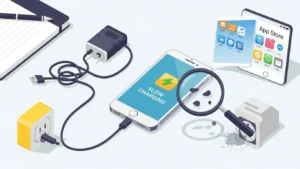
If you are using a new charger and cable and charging is still slow, battery health may be the reason. Lithium-ion batteries degrade over time and cannot accept power as efficiently as they once did.
Signs of battery aging
- Charging is slower than when the phone was new
- Battery drains faster than before
- Phone heats up more during charging
This is normal wear. When battery health drops enough, replacement is the only real fix.
Slow Charging vs Normal Charging: Know the Difference
Phones do not charge at a constant speed. Charging is fastest between 0 and 50 percent, slows between 50 and 80 percent, and becomes very slow near full.
This pattern is intentional and helps protect battery lifespan. Understanding this prevents unnecessary worry when your phone is behaving exactly as it should.
When Wireless Charging Is the Real Bottleneck
Wireless charging trades speed for convenience. Energy loss and heat are unavoidable.
How to improve wireless charging
- Align the phone carefully
- Use a fast wireless charger
- Remove thick cases
If speed matters more than convenience, wired charging remains the better choice.
Quick Troubleshooting Checklist
If you’d like faster charging now, focus on the fundamentals. First things first, attempt the test with the mentioned fast charger and good-quality cable, as charging speeds are often throttled by poor or faulty accessories.
Then, verify and clean the charging port if necessary, as dirt or lint may obstruct proper contact. Don’t use your phone while it’s charging. If you’re starving and eating too, will you feel satisfiedand well-fed? And if your phone is hot, take off the case and put it on something cool to avoid heat-related charging restrictions.
You can also try to reboot the phone, which will flush its background activity. Finally, check out your battery and charging settings to be sure that features like optimized charging are not dragging their heels when you want them to work at a moment’s notice. Often, one of these 5 basic steps will correct the issue.
Conclusion
If you keep asking yourself, “why my phone is charging slow,” the answer is usually simpler than it feels. Chargers, cables, heat, background activity, and battery age all affect charging speed. Most issues are easy to fix, and others are simply normal behavior designed to protect your phone.
Once you know what is normal and what is not, slow charging becomes much less frustrating. Use the tips above, adjust your charging habits, and you will get the fastest and safest charging your phone can offer.
