

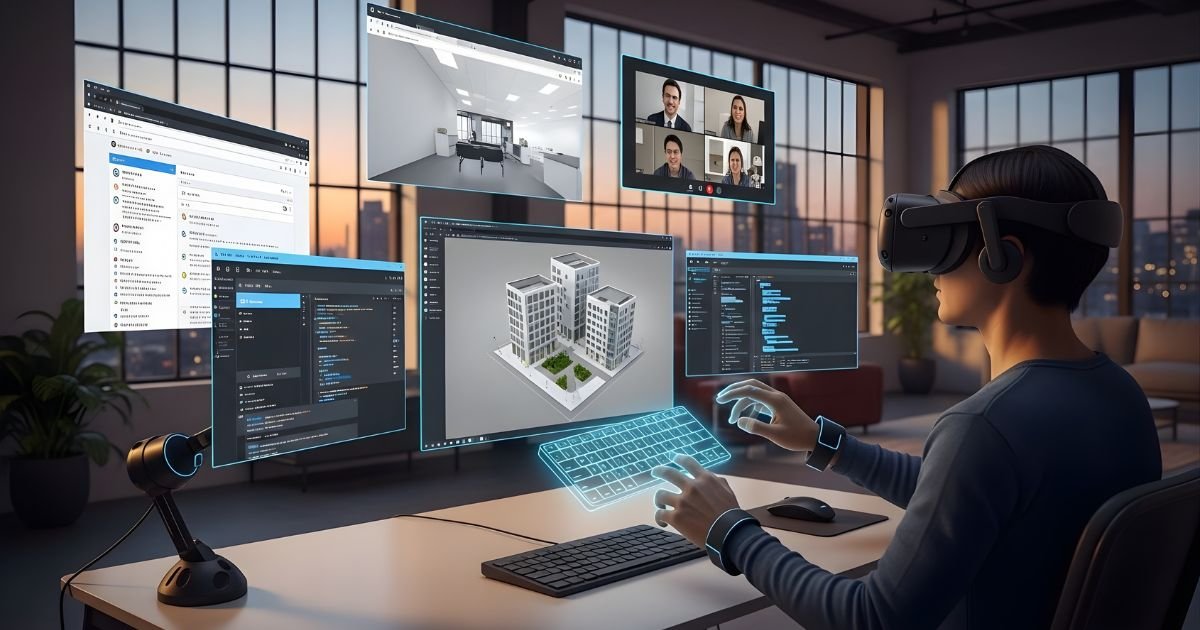
Imagine being able to access your computer from anywhere in the world, all while keeping your data secure and organized. Sounds like a dream, right? Welcome to the realm of virtual desktops!
This innovative technology transforms how we think about computing by creating a digital workspace that’s as flexible as you need it to be. Whether you’re working from home, on the go, or collaborating with teams across different time zones, a virtual desktop can streamline your experience.
Let’s dive into what exactly a virtual desktop is and discover how it can revolutionize your daily tasks.
How Virtual Desktop Works

Virtual desktops operate by hosting an entire desktop environment on a remote server. This setup enables users to access their personal workspace from any device with internet connectivity.
When you log in, a virtual machine spins up, providing the same experience as a traditional desktop but in the cloud. All applications and files are stored centrally, making updates and maintenance more efficient.
The communication between your local device and the virtual server happens through protocols like RDP or PCoIP. These technologies compress data for seamless transmission while maintaining high visual quality.
Additionally, user interactions—like mouse movements and keyboard inputs—are transmitted back to the server instantly. The result is an agile computing environment where resources can be allocated dynamically based on demand.
Benefits of Using a Virtual Desktop
Virtual desktops offer a myriad of advantages for users and businesses alike. One significant benefit is enhanced flexibility. You can access your desktop environment from any device with an internet connection, making remote work seamless.
Security is another crucial advantage. Virtual desktops are hosted in secure data centers, minimizing the risk of data breaches on local machines. This centralized approach to security simplifies updates and compliance management.
Cost efficiency also plays a vital role. Organizations can reduce hardware costs by using less powerful devices since all processing occurs in the cloud.
Collaboration becomes easier too. Team members can share resources and applications effortlessly, fostering teamwork regardless of geographical barriers.
Virtual desktops support scalability, allowing businesses to quickly adjust their computing resources based on demand without extensive downtime or investment in new infrastructure.
Types of Virtual Desktops
Virtual desktops come in several types, each designed to meet specific needs. One common type is the **persistent virtual desktop**, which allows users to save their settings and files. This setup creates a more personalized experience.
Another option is the **non-persistent virtual desktop**. Here, every time a user logs in, they receive a fresh environment. It’s efficient for organizations where uniformity and security are priorities.
**Remote Desktop Services (RDS)** offer centralized access to applications without needing individual installations on every device. This approach simplifies management significantly.
There’s the growing trend of **cloud-based virtual desktops**. These leverage cloud technology for flexibility and scalability, making it easy for businesses to adapt as needed.
Each type has its unique advantages based on organizational requirements and user preferences.
Factors to Consider Before Choosing a Virtual Desktop

Choosing a virtual desktop isn’t just about convenience; several factors need consideration.
First, assess your organization’s specific needs. Are you looking for high-performance applications or basic tasks? Your requirements will guide the choice of specifications.
Next, consider compatibility with existing systems. A seamless integration with current software and hardware can save time and money in the long run.
Security is paramount. Look into the encryption methods and access controls offered by different providers to ensure data safety.
Cost is another critical factor. Weigh initial setup costs against ongoing expenses like maintenance, support, and licensing fees.
Think about scalability options. As your business grows, your virtual desktop solution should easily adapt to increased demands without major disruptions or additional costs.
How to Set Up and Use a Virtual Desktop
Setting up a virtual desktop is simpler than you might think. Start by choosing a reliable service provider, like Amazon WorkSpaces or Microsoft Azure. Create an account and select your desired configuration—this often includes storage capacity and the operating system.
Once set up, download the necessary client software on your local device. This will allow you to access your virtual desktop seamlessly.
Log in with your credentials, and you’ll find yourself in a familiar environment that mirrors traditional desktops. You can personalize it just as you would normally—install applications, adjust settings, or even change wallpapers.
To use your virtual desktop effectively, familiarize yourself with basic functions like file management and application navigation. Accessing files remotely becomes second nature over time; simply drag-and-drop between systems if supported.
Regular updates from the service provider ensure that security remains tight while enhancing performance for everyday tasks.
Potential Challenges of Using a Virtual Desktop
Using a virtual desktop can come with its own set of challenges. One major concern is latency. When relying on cloud services, any network hiccup can lead to frustrating delays.
Another issue is security. While many providers implement robust measures, the risk remains that sensitive data could be exposed during transmission or if proper security protocols are not followed.
Compatibility problems may also arise. Not every application runs seamlessly in a virtual environment, which can hinder productivity and cause headaches.
Cost considerations play a role too. While some might find online desktop cost-effective, others may face unexpected fees as they scale their usage or require additional resources.
User familiarity with technology varies widely. For those less tech-savvy, navigating a new system might feel overwhelming and create resistance toward adopting this innovative solution.
The Future of Virtual Desktop Technology
The future of virtual desktop technology is brimming with potential. As cloud computing continues to evolve, so does the scope and efficiency of online desktop.
Artificial intelligence will play a pivotal role in enhancing user experiences. Intelligent systems can adapt to individual preferences, making workflows smoother and more intuitive.
Moreover, advancements in security protocols are on the horizon. With cyber threats growing increasingly sophisticated, robust protective measures will be essential for maintaining data integrity in virtual environments.
As remote work becomes more entrenched in corporate culture, organizations may rely heavily on these solutions for accessibility and collaboration. A seamless interface across devices could soon become standard practice.
We can expect greater integration with emerging technologies like augmented reality (AR) and blockchain. This fusion has the power to redefine how users interact with their digital workspace. The landscape is changing rapidly; those who embrace it will lead the way forward.
Conclusion
Virtual desktops represent a significant shift in how we interact with technology. They combine flexibility, security, and accessibility to provide users with seamless computing experiences. As remote work trends continue to rise, the demand for online desktop solutions is only expected to grow.
While there are challenges associated with implementation and use, the advantages often outweigh these hurdles. Organizations can benefit from cost savings, enhanced productivity, and improved data security through virtual desktops.
As technology evolves, so too will virtual desktop platforms. Future advancements may lead to even more innovative features that cater specifically to user needs. Embracing this technology can empower individuals and businesses alike by creating efficient working environments that transcend traditional boundaries.
Exploring this realm opens doors to new possibilities for both personal and professional growth in an ever-changing digital landscape.
