

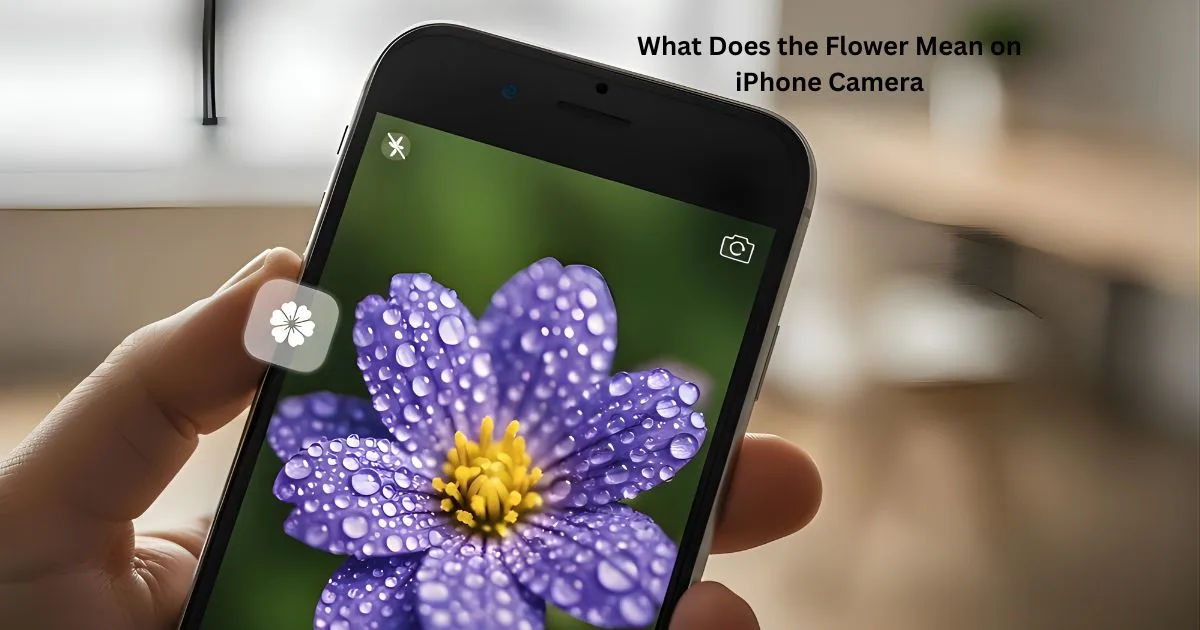
If you’ve ever pulled out your iPhone, opened the camera, and realized a little flower has appeared on screen after getting close to what’s in front of you, you’re not alone. It stops some of us in our tracks, but what does the flower mean on iPhone camera, and do we really have to tap it or not?
Apple does not always provide clear explanations for these small icons, but they generally are there to help you take better photos without having to do anything extra. The flower symbol is a feature that’s actually rather helpful, if a little confusing.
Once you understand what it does, you can use it actively rather than reactively. In this guide, I will explain what the flower icon is, when you see it, how it impacts your photo and more importantly, how to control the effect as a professional.
What Does the Flower Mean on iPhone Camera and Why It Appears
You can look here to find out what the flower icon on the iPhone camera means, and it is about the macro mode. Macro mode will allow your iPhone to focus on objects that are very close to the lens. Consider small details, such as the texture of a leaf, the design on a coin, or the fine print on a label. When you bring your iPhone near a subject, the camera feature toggles automatically and displays a flower icon when doing so as a visual reminder.
This is supported in recently released iPhone models primarily iPhone 13 Pro and the later Pros. It does so using the ultra-wide lens to focus at extremely short distances. The goal is simple. It enables you to shoot clear, sharp close-up photos without changing your camera settings.
In summary, if you’re wondering what the flower means on the iPhone camera, your phone is signaling to you that it is ready to shoot a close-up with greater detail.
How Macro Mode Works on iPhone
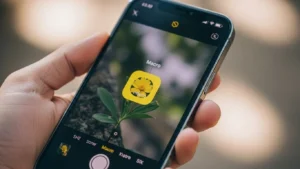
Macro mode works behind the scenes. When you move your iPhone within a few inches of a subject, the camera detects the short distance and switches lenses automatically. You do not need to change modes like Portrait or Night mode. The transition happens smoothly, and the flower icon appears to let you know Macro mode is active.
Here is what happens step by step:
- You open the Camera app
- You move closer to a small object
- The iPhone switches to the ultra-wide lens
- Macro mode activates
- The flower icon appears on the screen
This automatic behavior is designed to keep things simple. However, some users prefer more control, especially if the camera switches when they do not want it to.
When You Should Use Macro Mode
Macro mode is best for subjects with fine details. It shines when you want clarity up close without blur.
Good use cases include:
- Flowers and plants
- Insects
- Food details
- Jewelry
- Text or labels
- Small product shots
Macro mode is not ideal for people or large objects. It is meant for detail, not distance. If you notice the flower icon appearing when you are not trying to take a close-up, you may want to turn it off temporarily.
What Does the Flower Mean on iPhone Camera and How to Control It
Understanding what does the flower mean on iPhone camera is only half the story. The other half is knowing how to control it. Apple gives you the option to turn Macro mode on or off manually, but this setting is slightly hidden.
To control Macro mode:
- Open the Settings app
- Scroll down and tap Camera
- Tap Macro Control
- Turn Macro Control on
Once enabled, a small flower icon will appear in the Camera app when you get close to a subject. You can tap the icon to turn Macro mode off or on manually. When the icon is yellow, Macro mode is active. When it is crossed out, it is disabled.
This setting is useful if you want consistent framing or do not want the camera switching lenses automatically while filming or shooting.
Macro Mode vs Normal Camera Mode
To make things clearer, here is a simple comparison.
| Feature | Macro Mode | Normal Mode |
| Focus distance | Very close | Standard |
| Best for | Small details | Everyday photos |
| Lens used | Ultra-wide | Wide or telephoto |
| Flower icon | Visible | Not shown |
Knowing the difference helps you decide when to use Macro mode intentionally instead of accidentally.
Common Questions About the Flower Icon
What does the flower icon mean on the iPhone camera?
The flower icon means Macro mode is active, allowing the iPhone to take sharp close-up photos.
When does the flower icon appear on iPhone?
It appears when you move the camera very close to a subject and the iPhone switches to Macro mode automatically.
Which iPhone models have the flower (Macro) icon?
The flower icon is available on iPhone 13 Pro and newer Pro models that support Macro photography.
Can you turn off the flower icon on iPhone camera?
Yes. You can disable Macro mode by turning on Macro Control in Camera settings and tapping the flower icon.
What types of photos are best for Macro mode?
Macro mode works best for small details like flowers, insects, food, text, and close-up objects.
Tips to Get Better Macro Photos on iPhone
If you want to make the most of Macro mode, keep these tips in mind:
- Use good lighting. Macro shots need light.
- Keep your hands steady to avoid blur.
- Move slowly toward the subject.
- Tap to focus on the most important detail.
- Clean your lens for sharper results.
These small habits make a noticeable difference in close-up photography.
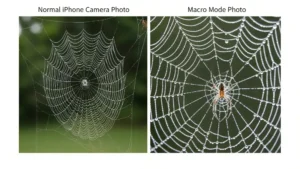
Why Apple Uses a Flower Icon
Apple uses a flower icon as it’s the universal symbol for close-up or macro photography. Flowers are frequently the object of photography where fine detail is to be rendered, and thus, the icon is straightforward for someone to interpret.
Rather than rely on text or an overly detailed symbol, Apple opted for a representation that’s easy to understand at a glance, regardless of what language you speak. The flower icon lets users know pretty quickly that the camera is focusing on extremely close objects.
The icon is a comfort icon because when you know what it means, the icon becomes friendly, reassuring, and helps you use Macro mode more readily without the fate of needing to read your camera’s settings in Macro mode first.
Conclusion
So, what is the flower on the iPhone camera? It’s a signal that your iPhone has switched to Macro mode and is primed to shoot sharp, detailed close-ups. The flower symbol does not mean an error or a warning.
It’s a useful tool for you to optimize the shooting by adjusting the camera. Understanding when it shows up, how it operates, and how to control it so you can shoot better photos and get less flustered.
If you’re into taking close-ups, Macro mode is one of the speediest iPhone camera features to become your favorite. Spend a little time with it, fiddle with its settings and discover just how much information your iPhone camera can actually capture.
