

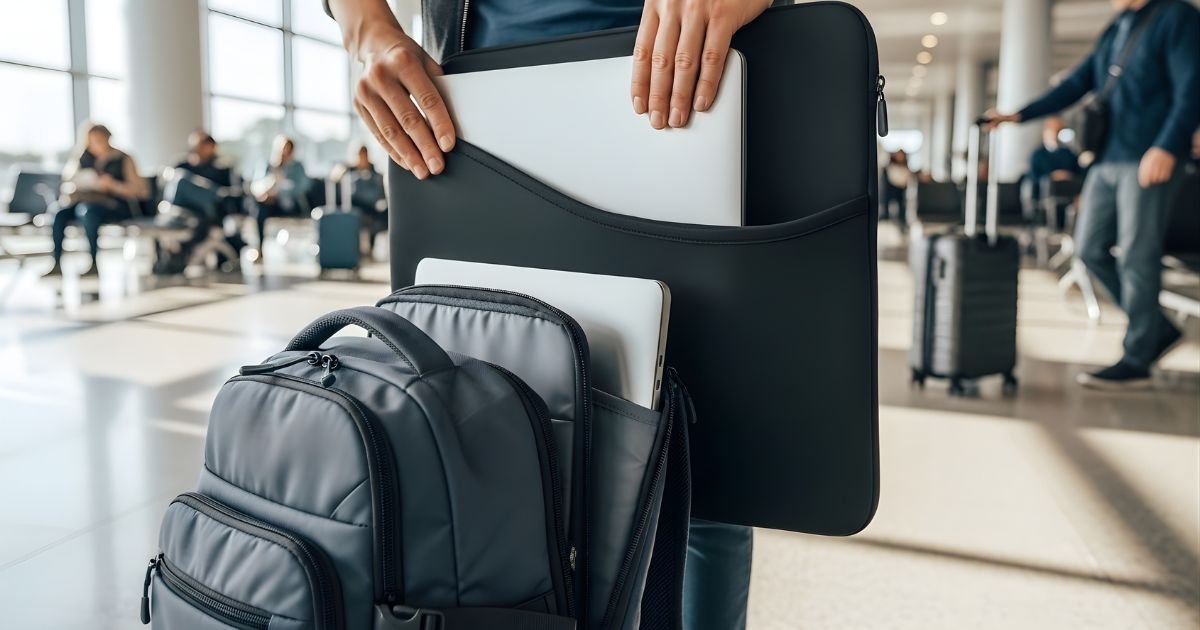
Are you tired of worrying about scratches, bumps, or spills damaging your laptop when you travel? Your laptop is more than just a device—it holds your work, memories, and important files.
Using a laptop sleeve can be the simple, effective way to keep it safe on the move. But how do you choose the right sleeve and use it properly to get the best protection? You’ll discover easy tips to protect your laptop during travel, so you can relax and focus on what really matters.
Choosing The Right Sleeve

Choosing the right laptop sleeve is important for travel protection. It keeps your device safe from scratches and bumps. The right sleeve fits well and offers enough padding. You should know about materials, size, and extra features. These factors help you pick the best sleeve for your needs.
Material Types
Material affects protection and durability. Neoprene is soft and water-resistant. It cushions your laptop from shocks. Nylon is strong and light. It can handle rough use and spills. Leather looks stylish and lasts long. It offers moderate protection but may weigh more. Choose a material that matches your travel style.
Size And Fit
Size matters to keep your laptop secure. A tight fit stops the laptop from moving inside. Too small means your laptop won’t fit. Too big allows extra space for damage. Measure your laptop’s width, height, and thickness. Pick a sleeve that matches these dimensions closely.
Additional Features
Extra features add convenience and protection. Padded edges give extra shock absorption. Water-resistant coatings protect against rain or spills. Some sleeves have pockets for chargers and cables. Zippers with smooth action prevent snags. Handles or straps make carrying easier during travel.
Packing Your Laptop Safely
Packing your laptop safely protects it from damage during travel. A laptop sleeve adds an extra layer of security. It shields your device from scratches, dust, and small impacts. Proper packing also helps keep your laptop stable inside your bag. Follow these steps to pack your laptop right and keep it safe on the move.
Cleaning Before Packing
Clean your laptop before putting it in the sleeve. Dust and dirt can scratch the surface over time. Use a soft cloth to wipe the screen and body. Make sure the laptop is dry to avoid moisture buildup inside the sleeve.
Proper Placement
Place your laptop gently inside the sleeve. Align it so the edges fit snugly without forcing it in. The laptop should sit flat and not move around. This reduces the risk of damage from sudden jolts or drops.
Avoiding Pressure Points
Keep heavy items away from your laptop sleeve. Pressure points can crack the screen or damage internal parts. Pack your bag so the laptop stays in a safe spot. Use additional padding if needed to cushion your device.
Maximizing Protection While Traveling

Protecting your laptop while traveling is very important. A good laptop sleeve helps, but you can do more to keep your device safe. Simple steps can make a big difference. Use extra layers, shock absorbers, and weatherproofing tips. These methods reduce damage risks during your trips.
Layering With Other Bags
Place your laptop sleeve inside a larger bag. A backpack or messenger bag adds an extra barrier. This helps protect from bumps and drops. Choose bags with padded compartments for better safety. Keep your laptop away from heavy items to avoid pressure.
Using Shock Absorbers
Shock absorbers reduce impact from sudden movements. Use padded sleeves made with foam or gel. Some laptop sleeves have built-in shock resistance. Add extra padding like a soft cloth inside the sleeve. Avoid hard surfaces and sudden drops to protect your laptop.
Weather Resistance Tips
Protect your laptop from rain and spills. Use sleeves made from water-resistant materials. Carry a rain cover for your bag during wet weather. Dry your sleeve quickly if it gets wet. Keep your laptop away from extreme heat or cold to avoid damage.
Maintaining Your Laptop Sleeve
Maintaining your laptop sleeve keeps it effective and looking good. A well-cared sleeve protects your laptop better during travel. Simple steps help extend its life and keep it clean.
Cleaning And Care
Remove dirt and dust regularly with a soft brush or cloth. Spot clean stains using mild soap and water. Avoid harsh chemicals that can damage the material. Let the sleeve dry completely before using it again. Clean both inside and outside to remove crumbs or debris.
Storage Suggestions
Store your laptop sleeve in a cool, dry place. Avoid direct sunlight to prevent fading and material damage. Keep the sleeve flat or gently rolled to avoid creases. Do not place heavy objects on top of it. Proper storage helps keep its shape and padding intact.
When To Replace
Replace the sleeve if padding wears thin or tears appear. If zippers or closures stop working, it’s time for a new one. A damaged sleeve offers less protection to your laptop. Notice any strong odors or stains that won’t come out. These signs mean it no longer protects well.
Travel Tips For Laptop Safety
Keeping your laptop safe during travel is very important. A laptop sleeve adds a layer of protection but using it correctly matters. Simple travel tips can help prevent damage and theft. Follow these tips to protect your device and data.
Handling During Transit
Always place your laptop in its sleeve before packing. Use a backpack or bag with a padded compartment. Avoid putting heavy items on top of your laptop. Hold your bag securely to prevent drops. Keep your laptop close to you during travel.
Security Precautions
Never leave your laptop unattended in public places. Use a laptop lock if possible. Keep your sleeve zipped or closed at all times. Avoid showing your laptop in crowded areas. Be alert in busy airports and train stations.
Emergency Preparedness
Back up your data before traveling. Carry a charger and any necessary accessories. Know how to contact your laptop’s manufacturer for help. Have a plan if your laptop is lost or stolen. Store important documents separately from your laptop.
Frequently Asked Questions
What Is The Main Purpose Of A Laptop Sleeve For Travel?
A laptop sleeve protects your device from scratches, dust, and minor impacts during travel. It provides a lightweight, padded layer to keep your laptop safe and secure while on the move.
How Do I Choose The Right Laptop Sleeve Size?
Select a sleeve that fits your laptop’s exact dimensions or slightly larger. A snug fit prevents movement inside the sleeve, ensuring better protection from bumps and drops during travel.
Can A Laptop Sleeve Protect Against Water Damage?
Most laptop sleeves offer limited water resistance but are not fully waterproof. For heavy rain or spills, consider a sleeve with waterproof material or use an additional protective cover.
How Should I Pack My Laptop Sleeve In My Luggage?
Place the laptop sleeve in a cushioned area of your bag, away from heavy items. This prevents pressure damage and keeps your laptop secure during transit.
Conclusion
A laptop sleeve protects your device from scratches and bumps. It fits easily in your bag or backpack. Use it to keep your laptop safe during travel. Choose a sleeve that suits your laptop size. Padding and water resistance add extra protection.
Carry your laptop with confidence and less worry. A good sleeve helps your laptop last longer. Travel smart and keep your tech secure every time.
