

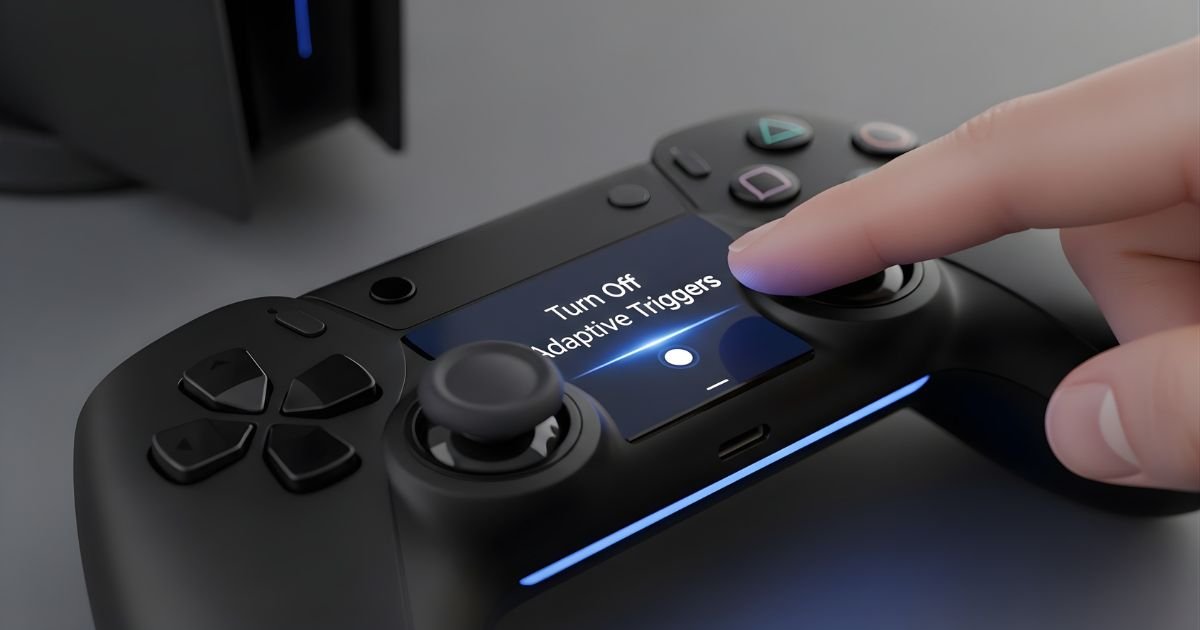
The PlayStation 5 has revolutionized gaming, and one of its standout features is the adaptive triggers on the Dual Sense controller. These smart triggers adjust their resistance based on in-game actions, creating a deeper connection to your gameplay.
But what happens when that innovative feature doesn’t align with your gaming style? Whether you’re looking for smoother controls or simply want to customize your experience, turning off adaptive triggers can be a game-changer.
Let’s dive into everything you need to know about this unique PS5 feature and how to tailor it just the way you like!
Understanding Adaptive Triggers on PS5

Adaptive triggers on the PS5 are one of the most exciting advancements in gaming technology. They provide dynamic resistance, allowing players to feel varying levels of tension depending on in-game actions. This means when you pull a trigger for shooting or accelerate in a racing game, you’ll experience realistic feedback that enhances immersion.
The technology works through precise motors within the triggers themselves. These motors can adjust their strength based on what’s happening onscreen, creating sensations like the weight of pulling back a bowstring or the effort needed to brake suddenly.
This feature aims to make gameplay more engaging and intuitive. However, not every player may appreciate this level of realism or find it suitable for all genres. Understanding how adaptive triggers function allows gamers to better decide if they want to embrace this innovation or explore other options available within their gaming experience.
Why You Might Want to Turn Off Adaptive Triggers
Adaptive triggers on the PS5 offer a unique gaming experience, but not everyone finds them beneficial. Some players feel that the resistance can hinder their reflexes in fast-paced games. When every millisecond counts, having a less responsive trigger can be frustrating.
Moreover, certain genres may not benefit from adaptive feedback at all. For example, racing and fighting games often require quick reactions without any delay or added tension from the triggers. Turning off this feature might allow for smoother gameplay in these scenarios.
Additionally, if you find yourself feeling fatigued after extended gaming sessions due to pressure against your fingers, disabling adaptive triggers could provide a more comfortable experience.
Personal preference plays a significant role here; some gamers simply prefer traditional controls without extra features that complicate things during intense play.
Alternative Options for Adjusting Trigger Sensitivity
If you’re not ready to disable adaptive triggers entirely, there are other ways to adjust sensitivity that can enhance your gaming experience.
The PS5 allows you to customize trigger settings for individual games. This means you can find the right balance without losing the unique features of adaptive triggers.
You can also explore third-party accessories designed specifically for the Dual Sense controller. Some options come with adjustable tension settings and enhanced grip, allowing greater control over how you engage with in-game actions.
Additionally, consider adjusting the overall game difficulty or sensitivity settings within each title. Tweaking these options may provide a more comfortable gameplay experience while retaining the immersive feel of adaptive triggers.
Experimenting with different configurations is key. Each player has their preferences, so don’t hesitate to make changes until it feels just right for your style.
Tips for Making the Most of Adaptive Triggers

Adaptive triggers can elevate your gaming experience on the PS5, enhancing immersion in ways you might not expect. To really harness their potential, start by exploring games specifically designed to take advantage of this feature. Titles like “Demon’s Souls” and “Ratchet & Clank: Rift Apart” showcase a range of effects.
Experiment with different levels of resistance during gameplay. Some shooters let you feel the tension as you pull the trigger, making each shot more impactful. Adjusting settings for these triggers can provide a personalized feel.
Don’t forget to pay attention to your grip! A comfortable hold can enhance responsiveness and control during intense moments.
Keep an eye on updates from developers that may introduce new features or improvements related to adaptive triggers—staying informed ensures you’re always getting the most out of your PS5 experience.
Considerations Before Turning Off Adaptive Triggers
Before deciding to turn off adaptive triggers, think about the games you play most often. Some titles are designed to leverage this feature, enhancing immersion and gameplay experience.
If you’re a fan of action or shooter games, those subtle differences in trigger resistance can impact your performance. Disabling them might lead to a less engaging experience.
Consider how accustomed you’ve become to using adaptive triggers. It may take time to readjust your gameplay style if you switch back to standard triggers.
Also, evaluate any physical limitations or preferences you have. Adaptive triggers can be challenging for some players with specific needs.
Weigh the balance between realism and convenience. While turning them off makes the controls more traditional, it could diminish that unique feeling of playing on PS5 compared to previous consoles or platforms.
Why you may want to turn off adaptive triggers
Adaptive triggers on the PS5 offer an immersive gaming experience. However, not every player appreciates this feature.
Some gamers find the resistance distracting during intense moments. In fast-paced action games, quick reactions are crucial. The added pressure might hinder performance or timing.
Others prefer a more traditional feel when using controllers. Classic gameplay often benefits from straightforward inputs without any additional force feedback.
Accessibility is another consideration. Players with specific physical requirements may struggle with adaptive triggers’ varying resistance levels, making it difficult to enjoy games fully.
Moreover, some titles don’t utilize this feature effectively. If a game’s mechanics don’t enhance enjoyment through adaptive triggers, turning them off can lead to a smoother and more familiar experience for many players.
Step-by-step guide on how to turn off adaptive triggers
To turn off adaptive triggers on your PS5, start by powering up your console. Once you’re logged in, navigate to the settings menu from the home screen.
Scroll down and select “Accessories.” Here, look for “Controllers” and click on it. You’ll find various controller settings laid out before you.
Select “Trigger Effect,” which is where the magic happens. You will see an option labeled “Adaptive Triggers.” Simply toggle this setting off.
After making that adjustment, exit back to your games or applications. Your adaptive triggers should now be disabled, giving you a different feel while gaming.
If at any point you want to enable them again, just follow these steps but toggle the setting back on instead. Enjoy your newly adjusted gameplay experience!
Potential benefits and drawbacks of turning off adaptive triggers
Turning off adaptive triggers on the PS5 can enhance your gaming experience in several ways. For instance, some players find it easier to achieve quicker reaction ps5 times without the resistance that adaptive triggers provide. This can be particularly beneficial in fast-paced games where every millisecond counts.
However, disabling this feature means sacrificing a layer of immersion. The tactile feedback enhances gameplay by simulating realistic sensations, such as weapon recoil or environmental interactions. Without it, you might miss out on a more engaging experience.
Another consideration is comfort. Players with certain physical limitations may find traditional trigger sensitivity easier to manage over time. Yet, for those who thrive on realism and depth in their games, turning off Dynamic triggers could feel like losing an essential part of what makes gaming enjoyable.
Weighing these benefits against potential drawbacks will help you make an informed choice tailored to your playing style and preferences.
Conclusion
The ps5 has introduced innovative features, and adaptive triggers are among the most talked-about. These triggers provide a unique level of immersion that enhances gameplay. However, they might not be for everyone. Understanding their functionality can help you make an informed decision about whether to keep them on or turn them off.
If you’re looking to simplify your gaming experience or if certain games don’t utilize this feature well, turning off the Dynamic triggers could enhance your overall enjoyment. Always consider how different settings impact your play style and preferences.
Whether you choose to embrace adaptive triggers or disable them entirely, it’s all about finding what works best for you as a gamer. Enjoying your time on the ps5 should always take priority!
