

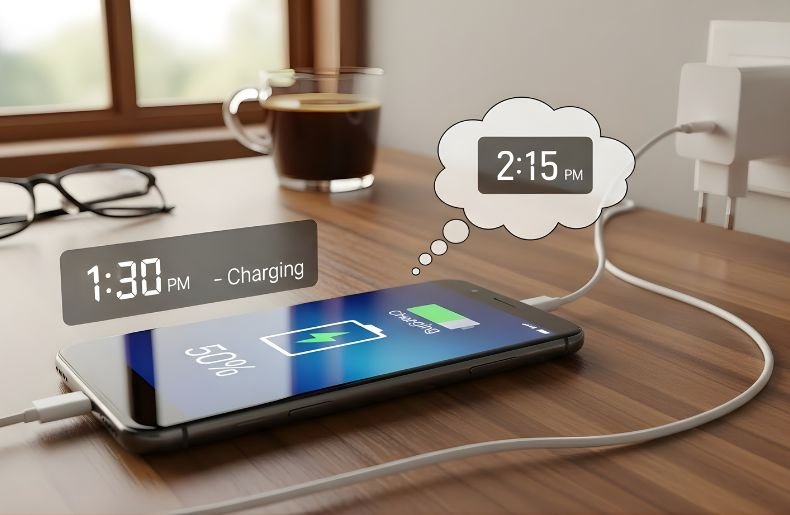
We’ve all been there staring at that low battery icon, wondering How Long Does It Take for a Phone to Charge. Whether you’re rushing out the door or settling in for the night, understanding your phone’s charging time can help you plan better and avoid that dreaded “battery anxiety.” The answer isn’t as simple as a single number, though.
Charging times vary dramatically based on your phone model, charger type, battery capacity, and even how you use your device while it’s plugged in. In this comprehensive guide, we’ll break down exactly how long it takes for a phone to charge, what factors influence charging speed, and how you can optimize your charging routine for the best results.
How Long Does It Take for a Phone to Charge Today? Average Charging Times Explained
Today’s smartphones require 30 minutes to 3 hours to charge, depending on the technology of the cable and fast charger used. On most newer devices with standard charging, a full charge will take about 1 to 2 hours, much faster than the typical overnight charging required for micro-USB. But that base number changes a lot with rapid-charge tech.
If you’re using a standard-issue 5-watt charger (the kind included with older iPhones), you’re staring at about 3 hours for a full charge. Midrange chargers working at 18 to 20 watts can trim that time down to roughly 1.5 hours. Fast Phone to Charge that are 30 watts or more can charge most phones to 50% battery life in just 20-30 minutes, and less than an hour for many flagship models.
Note that the capacity of the battery is important here. A phone that contains a 5,000mAh battery will, of course, fill up slightly slower than one with a 3,000mAh cell (all other things being equal). You can think of it like filling gas tanks of various sizes. The larger the tank, the more time it takes.
How Fast Charging Technology Affects Charging Time
Fast charging has revolutionized how long it takes for a phone to charge, transforming what used to be an overnight necessity into a quick pit stop. This technology works by increasing the wattage delivered to your battery, allowing more power to flow in less time. Modern fast charging standards can deliver anywhere from 18 watts to an impressive 120 watts or more, depending on your device.
Here is a simple breakdown by charging type:
- Standard charging (5W to 10W): 3 to 4 hours
- Fast charging (18W to 30W): 1 to 2 hours
- Super fast charging (45W+): 45 minutes to 1.5 hours
- Wireless charging: 2.5 to 4 hours
Different manufacturers use different fast charging standards. Apple uses USB Power Delivery (USB-PD), Samsung employs Adaptive Fast Charging and Super Fast Charging, while brands like OnePlus and Xiaomi have proprietary systems like Warp Charge and Hyper Charge. The key takeaway? Always use a compatible charger to achieve the fastest possible charging speeds your phone supports.
Factors That Impact How Long Does It Take for a Phone to Charge
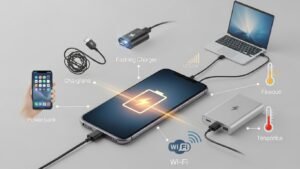
Charger Wattage and Cable Quality
The power adapter you use makes perhaps the biggest difference in charging speed. A charger’s wattage determines how much power it can deliver—higher wattage means faster charging, assuming your phone supports it. Using a 5-watt charger on a phone capable of 30-watt fast charging is like trying to fill a swimming pool with a garden hose instead of a fire hose.
Cable quality matters more than most people realize. A cheap or damaged cable can significantly bottleneck charging speed, even if you’re using a powerful adapter. Look for cables that explicitly support the wattage you need and are certified by reputable organizations.
Battery Health and Age
As batteries age, they don’t just hold less charge—they also Phone to Charge more slowly. A two-year-old phone might take 20-30% longer to reach full capacity compared to when it was new. This happens because the chemical reactions inside lithium-ion batteries become less efficient over time, particularly after hundreds of charge cycles.
You can check your battery health in your phone’s settings. On iPhones, navigate to Settings > Battery > Battery Health. Android users can find similar information in Settings > Battery > Battery Health, though the exact location varies by manufacturer.
Background Activity and Phone Usage
Using your phone while it’s charging is like trying to fill a bucket with a hole in the bottom—you’ll get there eventually, but it takes much longer. Gaming, video streaming, or running intensive apps while charging can dramatically extend charging time because your Phone to Charge is simultaneously consuming the power it’s trying to store.
For the fastest charge, enable airplane mode or simply leave your phone alone while it charges. Even basic activities like browsing social media or responding to messages can add 15-30 minutes to your total charging time.
Wireless Charging vs. Wired Charging: Time Comparison
The convenience of wireless charging is unrivaled — leave your phone on a pad and go. But it normally takes 30-50% longer to get a full for Phone to Charge . The majority of wireless chargers transmit power in the ballpark of 5-15 watts, with select premium options pushing as much as 30 watts. And the most speedy wireless chargers can’t quite compete with their wired cousins.
You will be up and running with a standard wireless charger between 2 to 4 hours ( instead of the previous only 1-2 h’s ) compared to about 1 – 2h using wired fast charging. The divide becomes smaller with lathe test wireless charging standards, but wired charging still wins that speed race. It’s a choice between convenience and time.
Heat is another consideration for How Long Does It Take for a Phone to Charge. Wireless charging is also hotter than wired charging, and it may slow down as safety mechanisms are triggered to protect your battery. Taking off your phone case when using wireless charging can make it more effective.
Step-by-Step Guide to Optimal Phone Charging
Step 1: Choose the Right Charger Use the manufacturer’s recommended charger or a certified third-party option that matches your phone’s maximum charging capacity. Check your phone’s specifications to know what wattage it supports.
Step 2: Inspect Your Cable Ensure your charging cable is in good condition without fraying or damage. Replace cables every 1-2 years or whenever you notice slower charging speeds.
Step 3: Create Ideal Charging Conditions Charge your phone in a cool, well-ventilated area. Avoid charging in direct sunlight, inside hot cars, or under pillows where heat can build up.
Step 4: Minimize Phone Activity Close unnecessary apps, reduce screen brightness, or enable airplane mode for faster charging. Better yet, don’t use your Phone to Charge at all while charging.
Step 5: Time Your Charges Strategically For long-term battery health, try to keep your battery between 20-80% rather than always charging to 100%. This reduces stress on the battery and extends its lifespan.
Final Thought
Understanding how long it takes for a phone to charge empowers you to make smarter decisions about when and how you power up your device. While the average modern smartphone charges in 1-2 hours with appropriate fast charging technology, your experience depends on numerous factors—from charger wattage and battery capacity to phone age and usage patterns.
By using the right equipment, minimizing background activity, and creating optimal charging conditions, you can significantly reduce your charging time and extend your battery’s lifespan. Ready to optimize your charging routine?
Start by checking what charging speed your phone supports, investing in a quality fast charger if needed, and implementing the practices we’ve covered. Your Phone to Charge—and your schedule—will thank you. For the fastest results, remember: the right charger, a quality cable, and a phone left alone to charge are your best allies in minimizing downtime.
