

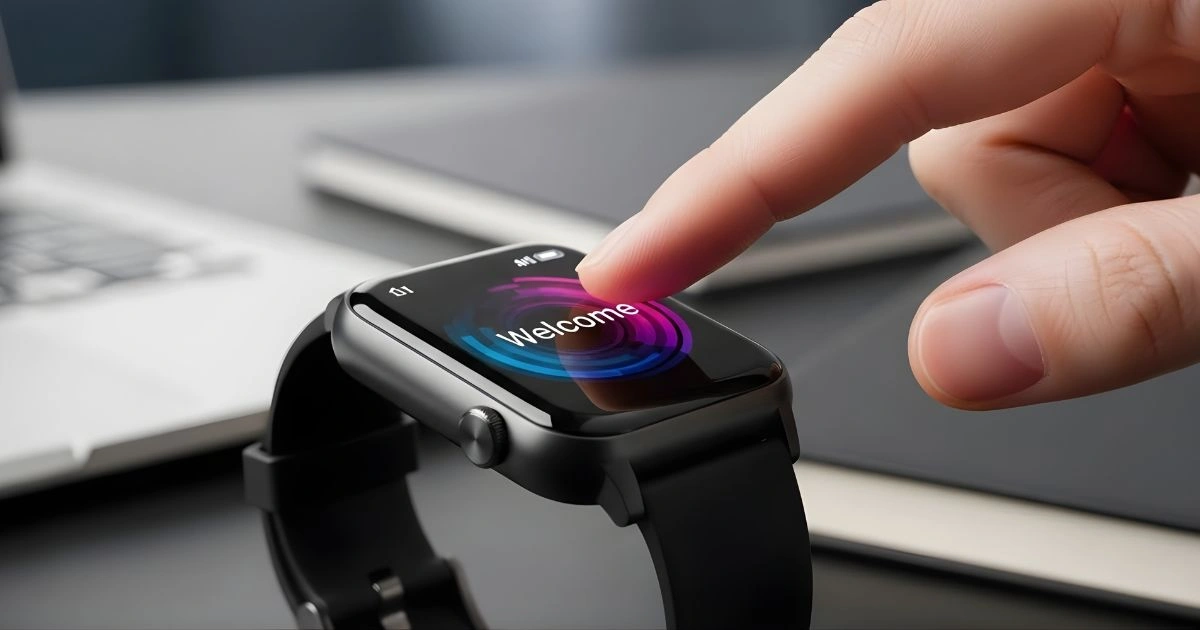
Powering on a smartwatch seems like an easy task until you’re suddenly staring at a blank screen and wondering if the device is broken. This is something many people experience with a new watch, after completely running it down, or when switching to a different brand.
The good news is, smartwatches are very simple indeed once you have a few basics down. In this guide, I’m going to How Do You Turn On a Smartwatch in easy-to-grasp language that covers everything I would want to know.
We’ll discuss popular power buttons, charging needs, brand variances, and what to do if the watch refuses to turn on. When you’re finished with it, you will feel confident in what to look at, what buttons to press, and when something isn’t so much wrong as requiring some patience.
Understanding the Basics Before You Turn On a Smartwatch
Before pressing any buttons, it helps to understand how smartwatches are designed to power on. Unlike phones, many smartwatches ship completely powered off to protect the battery. Some will not turn on at all unless they have enough charge, even if you press the correct button.
Most smartwatches have:
- A physical power button or digital crown
- A rechargeable lithium battery
- A screen that stays fully black when off
If the watch is brand new or has been unused for weeks, it may need several minutes on the charger before it shows any sign of life. This is normal and does not mean the device is faulty.
How Do You Turn On a Smartwatch for the First Time
When you take a smartwatch out of the box, it is often completely powered off to protect the battery during shipping. This is why pressing the button once may do nothing at first. In most cases, the watch needs a short charge before it can turn on.
Once it has enough power, holding the main side button for a few seconds will trigger the startup screen. You will usually see the brand logo, followed by a welcome or setup screen. This first boot may take longer than usual, so patience matters. Nothing is wrong if it takes a minute to respond.
How to Power On Your Smartwatch Using Its Power Button
This is the most common and straightforward method. Almost every smartwatch includes at least one physical button designed to wake or power on the device.
Step-by-Step: Turning It On with the Button
- Locate the main button. It is usually on the right side of the watch.
- Press and hold the button for 2 to 5 seconds.
- Keep holding until you see the brand logo or a startup screen.
- Release the button once the screen lights up.
If nothing happens after five seconds, try holding it for up to ten seconds. Some watches require a longer press, especially after a full battery drain.
Common Button Locations by Design
- Right side: Most Samsung, Apple, and Wear OS watches
- Left side: Some fitness-focused models
- Digital crown: Apple Watch and similar designs
If your watch has multiple buttons, the power button is usually the largest or the one closest to the screen edge.
How Do You Turn On a Smartwatch After the Battery Dies
If your smartwatch battery drains fully, the device enters a protection mode where it will not respond immediately to button presses. This often makes people think the watch is broken. In reality, the battery simply needs time to recover.
After connecting it to the charger, the watch may stay black for several minutes before showing a charging icon or logo. Once enough power is restored, the smartwatch will turn on normally. This behavior is common across Apple, Samsung, Fitbit, and Wear OS devices.
Turning On a Smartwatch by Charging It
In many cases, charging is the easiest way to turn on a smartwatch. Some watches automatically power on as soon as they detect charging. This is especially common with Apple Watch and Fitbit models.
Make sure the charger is properly attached and plugged into a wall outlet instead of a weak USB port. If the battery was fully dead, give the watch at least ten to fifteen minutes before expecting anything on the screen. Patience matters more than repeated button presses.
First-Time Setup: What Happens After You Turn It On
When you successfully power on a smartwatch for the first time, it usually enters setup mode automatically. You may see language selection, pairing instructions, or a welcome screen.
This phase is not about pressing buttons repeatedly. It is about following on-screen instructions carefully. Many watches will not function fully until they are paired with a smartphone.
During this stage, the watch may restart once or twice. That is normal. Avoid pressing buttons unless the screen tells you to do so.
How to Turn On a Smartwatch Safely Without Causing Damage?
Smartwatches are meant to be straightforward, but dictating them can get complicated. If buttons are pressed too quickly, or are all held down at once, or the watch is repeatedly reset then the start up process can be disrupted.
Slow and steady pressure, proper charging and patient use work best. After the watch is up and running, it will boot and run much smoother if you leave it alone for that initial boot. That just makes sense, not merely as a frustration-free way to turn on a smartwatch..
How Do You Turn On a Smartwatch by Brand
Different brands handle power slightly differently. Knowing your brand saves time and frustration.
Apple Watch
- Press and hold the side button below the Digital Crown.
- Release when you see the Apple logo.
- If it does not turn on, charge it for at least 30 minutes.
Samsung Galaxy Watch
- Press and hold the Home or Power key.
- Hold for about 3 seconds until the Samsung logo appears.
- Some models require charging before first use.
Fitbit
- Many Fitbit models turn on automatically when charged.
- Others require holding the side button for a few seconds.
- A smiley face or logo confirms it is on.
Wear OS Watches (Fossil, TicWatch)
- Press and hold the main side button.
- Hold longer than you think, often up to 5 seconds.
- Wait for the Wear OS logo.
When the Smartwatch Does Not Turn On at All
This is where many people panic, but most issues are simple.
If your smartwatch stays black, try these checks before assuming it is broken:
- Make sure the charger cable works.
- Clean the charging contacts on the watch.
- Try a different power adapter.
- Hold the power button while it is on the charger.
Sometimes the screen is on but extremely dim. Check it in a dark room to be sure.
How to Turn On a Smartwatch After Its Battery Has Fully Drained
A fully depleted (dumb) smartwatch is different than one with some juice remaining. The built-in battery of the AirPods may not give a quick response.
In these cases, patience matters. Put the watch on charge for between 20 and 30 minutes before pressing anything. The watch just works normally when the battery is at a decent level.
This is particularly likely if you have not worn the watch for weeks or months.
Powering On Without Step-by-Step: What Really Matters
Turning on a smartwatch is less about memorizing steps and more about understanding how the device thinks. A smartwatch is designed to protect its battery and internal system, which means it sometimes ignores button presses until conditions are right.
If the battery is empty, it prioritizes charging over responding. If it is new, it waits until it has enough power to complete setup safely.
Once you accept that behavior, the process becomes much less stressful. Most problems come from rushing, pressing buttons repeatedly, or assuming the watch is defective too quickly. Giving it time, proper charging, and a steady button press solves the issue in the majority of cases.
Common Mistakes to Avoid When Turning On a Smartwatch
Avoid these mistakes to save time:
- Tapping instead of holding the button
- Using a weak USB port for charging
- Expecting instant response from a dead battery
- Pressing multiple buttons at once
Smartwatches are simple devices, but they reward calm, deliberate actions.
How Do You Turn On a Smartwatch Safely and Correctly
To summarize the safest approach:
- Charge first if unsure about battery level
- Use the main side button
- Hold, do not tap
- Watch for logos or icons
- Follow on-screen instructions
Final Thought
Turning on a smartwatch does not need to be confusing. Once you understand where the power button is, how charging affects startup, and how different brands behave, the process becomes second nature. Whether it is your first time or you are restarting after a dead battery, the steps are simple and reliable.
If this guide helped you understand how do you turn on a smartwatch, try it out now and get your device up and running. If you are still stuck, check the official support page for your brand or consult the user manual for model-specific tips.
