

Your phone contains your entire digital life—banking apps, personal photos, private messages, and sensitive work emails. But what if someone else had access to all of it without you knowing? Phone Is Cloned a serious security threat where criminals duplicate your phone’s identity to intercept calls, texts, and data.
Unlike physical theft, cloned phones operate silently in the background, making detection challenging. If you’ve noticed strange charges on your bill, mysterious battery drain, or friends receiving texts you never sent, your device might be compromised.
Understanding how to know if your Phone Is Cloned can protect you from identity theft, financial fraud, and privacy violations. This comprehensive guide will walk you through the telltale signs, verification methods, and immediate actions to safeguard your digital identity.
What Is Phone Cloning and How Does It Happen?
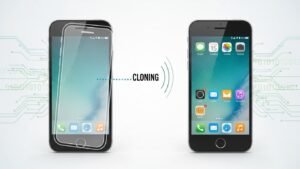
Phone Is Cloned occurs when criminals copy your phone’s unique identifier, called an IMEI number (International Mobile Equipment Identity), or duplicate your SIM card information. This allows them to create a functional Phone Is Cloned that mirrors your device’s identity on the network. How to Know If Your Phone Is Cloned, hackers can receive your calls, read your text messages, and access two-factor authentication codes sent to your number.
The most common Phone Is Cloned method involves SIM swapping, where attackers convince your mobile carrier to transfer your number to a SIM card they control. They might use stolen personal information or social engineering tactics to impersonate you.
Another technique exploits vulnerabilities in older networks or uses specialized software to intercept and copy SIM card data when you’re connected to compromised cellular towers. Bluetooth and public Wi-Fi networks can also serve as entry points for sophisticated mobile security threats. Understanding these methods helps you recognize why certain warning signs appear and emphasizes the importance of proactive monitoring.
How to Know If Your Phone Is Cloned: Key Warning Signs
Unexpected Network and Connectivity Issues
One of the earliest indicators appears in your phone’s basic functionality. If you suddenly lose network coverage in areas where you typically have strong signal, this could signal trouble. Your phone might display “No Service” or “SOS Only” even though you’re in a well-covered location. This happens because your phone number is actively being used on another device, and the network can’t maintain two simultaneous connections with the same identifier.
You might also notice your device struggling to connect to your mobile carrier’s network or experiencing frequent disconnections. These disruptions occur without any obvious reason like weather interference or carrier outages that affect other users. The cloned device essentially hijacks your network authentication, leaving your legitimate phone unable to properly register with cellular towers.
Unusual Text Messages and Call Activity
Strange SMS messages represent a critical red flag. You might receive text messages containing random verification codes, password reset links, or authentication requests for services you didn’t attempt to access. These messages indicate someone is trying to break into your accounts using your phone number for two-factor authentication. Friends or family members might also tell you they received calls or texts from your number that you never made, suggesting someone else is operating under your identity.
Check your phone’s call and message history regularly. Outgoing calls to unfamiliar numbers, especially international destinations, or messages you don’t remember sending indicate unauthorized access. Your contacts might complain about receiving spam or suspicious links from you. These activities often happen during late-night hours when you’re asleep and unlikely to notice the unauthorized usage.
Unexplained Battery Drain and Performance Problems
While battery degradation happens naturally over time, sudden and dramatic changes deserve investigation. If your fully charged phone dies within hours under normal usage, or the battery percentage drops rapidly without intensive apps running, a cloned device might be causing background activity. Malware or spyware installed during the cloning process constantly runs in the background, consuming significant resources.
Your phone might also become unusually hot even during idle periods or light usage. You’ll notice sluggish performance, apps taking longer to open, random freezes, or unexpected crashes. The device might restart on its own or display error messages you’ve never seen before. These symptoms occur because malicious software operates continuously, monitoring your activities and transmitting data to the attacker’s systems.
Suspicious Account Activities and Notifications
Financial institutions and online services send security alerts when they detect unusual login attempts. Pay attention to notifications about password changes, new device authorizations, or login attempts from unfamiliar locations. If you receive alerts about account access you didn’t initiate, especially for banking apps, email, or social media, someone might be using information intercepted from your cloned phone.
Review your bank statements and credit card transactions weekly. Unexplained charges, especially small test transactions that fraudsters use to verify stolen card information, indicate compromised accounts. You might also notice subscription services you never signed up for or purchases you didn’t authorize. These financial irregularities often coincide with Phone Is Cloned because criminals gain access to authentication codes needed to complete fraudulent transactions.
Dramatic Increase in Data Usage
Monitor your monthly data consumption through your carrier’s app or website. A sudden spike in data usage without corresponding changes in your phone habits suggests unauthorized activity. Cloning software and spyware constantly upload information—your messages, location data, browsing history, and stored files—to remote servers. This background transmission consumes significant bandwidth.
Compare your current usage to previous months. If you typically use 5GB monthly but suddenly see 15GB or more, investigate immediately. Check which apps consume the most data in your phone’s settings. Unknown applications or system processes using excessive data indicate potential security breaches. Remember that cloned devices don’t just passively receive your information; they actively harvest and transmit your data.
Step-by-Step Methods to Verify If Your Phone Is Cloned
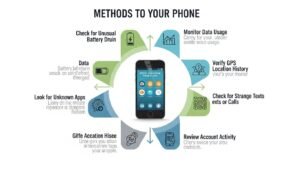
Check Your IMEI Number
Every phone has a unique 15-digit IMEI number that identifies it on cellular networks. Verifying this number helps confirm whether another device is impersonating yours:
- Find your IMEI: Dial *#06# on your phone’s keypad, and the number will appear on screen. Alternatively, check Settings > About Phone > Status > IMEI information (Android) or Settings > General > About (iPhone).
- Record the number: Write down or screenshot the complete 15-digit code. Your phone might have two IMEI numbers if it supports dual SIM cards.
- Contact your carrier: Call your mobile provider’s customer service and ask them to verify the IMEI registered to your account matches your device’s number.
- Check for duplicates: Request confirmation that only one device with your IMEI is active on their network. Multiple devices with identical identifiers indicate cloning.
- Verify with manufacturer: Visit the phone manufacturer’s website and use their IMEI verification tool to confirm your device’s authenticity and registration status.
Review Your Phone Bill Thoroughly
Your monthly statement contains valuable clues about unauthorized activity:
- Examine call logs: Look for outgoing calls to numbers you don’t recognize, especially premium-rate or international numbers that generate high charges.
- Check text message records: Identify SMS or MMS messages sent to unfamiliar recipients or during times you weren’t using your phone.
- Analyze data usage patterns: Note any unusual spikes in cellular data consumption that don’t align with your typical usage.
- Look for additional services: Verify you authorized all subscriptions, add-ons, or value-added services listed on your bill.
- Compare multiple months: Place bills side-by-side to spot sudden changes in usage patterns or charges.
Real-World Impact of a Cloned Phone
A cloned phone is not just annoying. It can be costly and stressful.
- Make expensive calls on your account
- Access OTP messages for banking
- Bypass two-factor authentication
- Impersonate you in scams
What to Do If Your Phone Is Cloned
Discovering your phone is cloned requires immediate action to minimize damage. First, contact your mobile service provider urgently and report the Phone Is Cloned. Request they deactivate your current SIM card and issue a replacement with a new number if necessary. Change passwords immediately for all critical accounts, starting with email, banking, and social media.
Enable stronger authentication methods and remove your phone number from two-factor authentication temporarily, using authenticator apps instead. File a police report documenting the Phone Is Cloned, as this creates an official record useful for disputing fraudulent charges and identity theft claims. Contact your bank and credit card companies to freeze accounts and reverse unauthorized transactions.
Place fraud alerts with credit bureaus to prevent criminals from opening new accounts in your name. Factory reset your device to remove any malware, but first backup important data to secure cloud storage. Finally, monitor your credit report and financial statements closely for months following the incident, as criminals might attempt delayed attacks using previously stolen information.
Prevention Tips to Protect Against Phone Is Cloned
Protecting yourself from Phone Is Cloned requires proactive security measures. Enable a SIM PIN through your phone’s security settings, creating an additional authentication layer that prevents unauthorized SIM card usage even if stolen. Contact your carrier to add account security features like port-out protection, which requires in-person verification before transferring your number.
Use strong, unique passwords for your carrier account and enable two-factor authentication using authenticator apps rather than SMS codes. Avoid sharing your phone number publicly on social media or websites where data scrapers might harvest it to get risk free from Phone Is Cloned. Be cautious about unknown Bluetooth connections and disable Bluetooth when not in use. Never connect to unsecured public Wi-Fi networks without a reputable VPN service that encrypts your data transmission.
Regularly update your phone’s operating system and security patches, as manufacturers constantly address vulnerabilities that cloners exploit. Install mobile security software from trusted providers to detect and prevent malware installation. Finally, register your phone with your carrier’s device protection program and maintain awareness of the latest Phone Is Cloned security threats through technology news sources.
Conclusion
Learning how to know if your phone is cloned empowers you to catch security breaches before they cause irreparable damage. Watch for warning signs like unexpected network problems, unusual battery drain, suspicious account activities, mysterious text messages, and unexplained data usage spikes.
Regularly verify your IMEI number with your carrier, scrutinize phone bills for anomalies, and maintain strong account security practices. If you suspect cloning, act immediately by contacting your mobile provider, changing passwords, and reporting the incident to authorities.
Prevention through SIM PINs, account security features, and vigilant monitoring provides your best defense against this invisible threat. Stay informed, remain alert to unusual phone behavior, and don’t hesitate to investigate anything suspicious. Your digital security depends on recognizing these critical warning signs and responding decisively to protect your personal information and financial well-being.
