

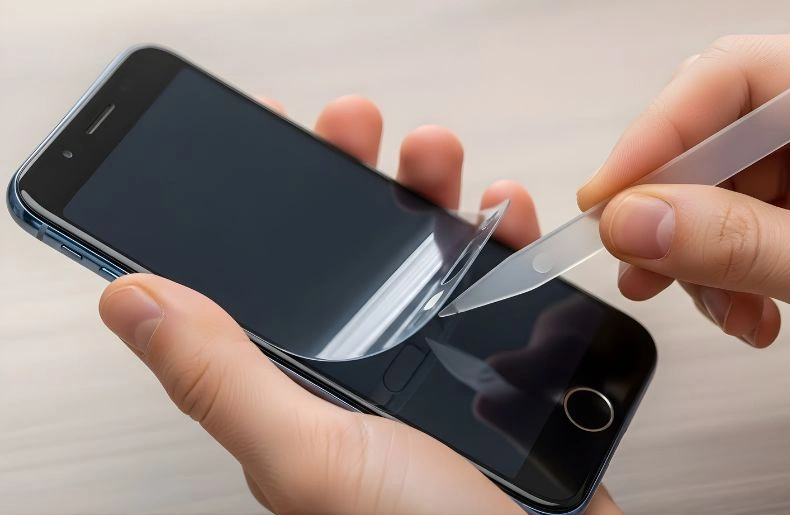
How to remove screen protector glass might seem hard, especially if it is cracked or has bubbles. Many people worry about scratching the screen or leaving sticky glue behind.
The good news is that it can be done safely. With a few simple tools, you can lift the edges, peel it off slowly, and clean your screen without any damage.
This guide will show you how to remove a screen protector from a phone, tablet, or smartwatch. It also gives tips for dealing with tough glue or broken glass. Following these steps makes the process quick, safe, and easy.
Things to Know Before Removing a Screen Protector Glass
Before you start removing a screen protector, it is important to understand a few key points. Not all screen protectors are the same. Some are made of tempered glass, while others are plastic films. Knowing what type you have will help you remove it safely.
You should also check your device’s screen for cracks or damage. If the screen itself is already fragile, you need extra care. Finally, have a flat surface ready, clean hands, and a few common tools nearby. These steps will make the process smooth and prevent any accidental scratches or sticky residue.
Tempered Glass vs Plastic Film
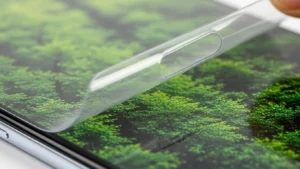
Tempered glass is stronger and more rigid than plastic protectors. It can crack or shatter if bent, but it is easier to peel off in one piece. Plastic protectors are more flexible but can stretch or tear. Knowing the material helps you pick the right removal method.
Risks to Your Device
Removing a screen protector is generally safe, but rushing can damage your screen. Pulling too hard or using sharp tools can leave scratches. Cracked or shattered protectors may send tiny glass shards onto your screen. Take your time and remove it gently.
Prepare Your Workspace
Use a clean, flat surface to avoid drops. Turn off your device to prevent accidental taps. Clean your hands to avoid leaving oils on the screen. Keep a microfiber cloth nearby to wipe off any leftover adhesive or dust.
By understanding these points, you will have a clear idea of how to remove a screen protector safely. Being careful and using simple tools makes the process quick and stress-free. You can protect your phone, tablet, or smartwatch while keeping the screen clean and smooth.
Tools You Can Use to Remove Screen Protector Glass
Before removing a screen protector, having the right tools makes the process easier and safer. You do not need anything fancy. Most of the items you need are already at home. Using proper tools helps lift the edges gently and prevents scratches or cracks. It also reduces the chance of leftover adhesive sticking to your screen. Choosing safe tools is important whether you are removing a cracked tempered glass or a flexible plastic protector.
Common Household Items That Work
- Fingernail: A clean fingernail is often the best tool to lift a corner. It is gentle and safe.
- Credit or debit card: A card can slide under the edge and help peel off the protector slowly.
- Plastic pick or toothpick: These small tools can lift corners that are difficult to grab.
- Microfiber cloth: Useful for wiping off any dust or sticky residue after removal.
Tools You Should Avoid
- Metal blades or knives: These can scratch your screen or break the protector.
- Sharp objects: Pins or scissors are unsafe. They can damage the device.
- Excessive force: Pulling too hard can crack tempered glass or leave glue marks.
Having the right tools ready makes removing a screen protector simple and stress-free. Using gentle, safe items ensures that your phone, tablet, or smartwatch stays in perfect condition. It also reduces the risk of leaving small glass shards or adhesive residue behind.
How to Remove Screen Protector Glass – Step-by-Step
Removing a screen protector is simple if you follow careful steps. Rushing or using too much force can damage your screen. This guide explains how to remove tempered glass or plastic protectors safely. Each step uses easy tools and simple actions so that anyone can do it at home without stress.
Step 1: Find a Loose Corner
Look for a corner of the protector that is already lifting slightly. If none are loose, use a fingernail, plastic pick, or card to gently lift one edge. Avoid pressing too hard. Starting at a corner reduces the chance of cracking the glass.
Step 2: Gently Lift the Edge
Once a corner is lifted, hold it carefully and continue lifting slowly. For tempered glass, go slowly to avoid shattering. For plastic protectors, keep a steady angle to prevent stretching or tearing. Take your time and be patient.
Step 3: Peel It Off Evenly
After lifting the edge, peel the protector back evenly. Do not pull too quickly. Use small, controlled movements. This keeps the screen safe and prevents adhesive residue from sticking. Keep your fingers close to the protector to maintain control.
Step 4: Clean the Screen After Removal
Once the protector is off, check for leftover adhesive or dust. Use a microfiber cloth to wipe the screen gently. If needed, use a little water or screen-safe cleaner. Avoid harsh chemicals. A clean screen is ready for a new protector or normal use.
Following these steps ensures your smartphone, tablet, or smartwatch stays in perfect condition. Even cracked or stubborn protectors can be removed safely with care and the right technique.
How to Remove a Cracked or Shattered Screen Protector
Cracked or shattered screen protectors need extra care when removing. Small glass pieces can fall off or scratch your device if you are not careful. Removing a broken protector slowly helps protect your screen and keeps your hands safe. Using the right method also reduces leftover adhesive and makes the process cleaner.
Is It Safe to Remove Cracked Glass?
Yes, it is safe if you follow precautions. Avoid pulling the glass too fast. Tiny shards can fly and scratch your screen. Always work on a flat, stable surface. Keeping your device turned off prevents accidental taps during removal.
Extra Precautions
- Use tape: Place a piece of strong tape over the cracked protector. Press gently so it sticks. This holds glass shards together.
- Wear gloves: Thin gloves prevent small shards from cutting your fingers.
- Lift slowly: Start at a corner or edge. Slowly peel back the protector in small sections.
Dealing with Stubborn Adhesive
After removing a cracked protector, some glue may remain. Use a microfiber cloth to wipe the residue. If needed, dampen the cloth lightly with water or a screen-safe cleaner. Avoid using sharp objects, which can scratch your screen.
Following these steps makes removing a cracked or shattered screen protector safe and stress-free. You can protect your smartphone, tablet, or smartwatch while keeping your screen clean and ready for a new protector.
Should You Use Heat to Remove Screen Protector Glass?
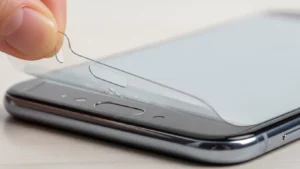
Sometimes, screen protectors stick very tightly, and heat can help loosen the adhesive. However, heat is not always necessary. Using it safely can make the removal easier, but overheating can damage your device. Knowing when and how to apply heat keeps your screen, battery, and device safe.
When Heat Helps
Heat is useful for older protectors or strong adhesives. If the edges do not lift easily, gentle warmth can soften the glue. This is often the case with tempered glass that has been on the device for months or years. Heat makes peeling smoother and reduces the risk of glass cracking.
- Warm room method: Keep your device in a slightly warm room for a few minutes.
- Hair dryer: Use on low heat and hold it at least 6–8 inches away. Move it constantly to avoid hotspots.
Risks of Overheating
Too much heat can harm your screen or battery. Direct high heat may cause discoloration or malfunction. Avoid ovens, microwaves, or hot water. Gentle, controlled warmth is the safest way to help loosen tough adhesive.
Using heat carefully ensures you can remove even stubborn protectors without risk. Phones, tablets, and smartwatches stay safe, and the removal process becomes smoother.
How to Remove Screen Protectors from Different Devices
Screen protectors come in many shapes and sizes, depending on the device. Phones, tablets, and smartwatches each need slightly different approaches. Knowing these differences makes removal easier and reduces the risk of scratches or cracks.
Smartphones (Android & iPhone)
Most smartphones have flat or slightly curved edges. Start by lifting a corner with a fingernail or card. Slowly peel the protector back, keeping a steady angle. Curved screens may need extra patience to avoid breaking the edges of tempered glass. Small movements and gentle pressure work best.
Tablets and iPads
Tablets have larger screens, which can make removal tricky. Lift a corner and peel evenly across the surface. Avoid bending the glass. Use a microfiber cloth to catch any dust or adhesive that comes loose. A larger card can help slide under bigger edges safely.
Smartwatches
Smartwatches have very small screens, so precision is key. Use your fingernail or a small plastic pick to lift a corner carefully. Peel slowly, section by section. Avoid using large tools, which can scratch the device. A soft cloth helps keep the screen clean after removal.
Removing screen protectors according to the device type ensures safety and efficiency. Taking these small precautions keeps your smartphone, tablet, or smartwatch screens smooth, clean, and ready for a new protector.
Common Mistakes People Make (And How to Avoid Them)
Many people rush when removing a screen protector. This can lead to scratches, cracks, or leftover adhesive. Knowing what to avoid makes the process safer and easier. By following a few simple tips, you can protect your device and remove the protector smoothly.
Pulling Too Fast
One of the biggest mistakes is pulling the protector quickly. Fast movements can crack tempered glass or tear plastic protectors. Always lift slowly, starting at a corner. Small, controlled motions keep the screen safe.
Using Sharp Tools
Metal knives, scissors, or pins are risky. They can scratch the screen or damage the device. Stick to fingernails, plastic picks, or a card for safe removal.
Removing While the Device Is On
Some people remove the protector without turning off the device. Accidental taps or swipes can happen. Always power off your smartphone, tablet, or smartwatch before starting.
Ignoring Cracks or Chips
If the protector is cracked or shattered, lifting it without care can release small glass shards. Use tape to hold the pieces together and wear gloves to protect your fingers.
Skipping Cleaning
After removal, leftover adhesive or dust can cause problems when applying a new protector. Always wipe the screen with a microfiber cloth to remove residue and ensure a clean surface.
By avoiding these mistakes, removing a screen protector becomes safe, easy, and stress-free. Your device will stay clean and ready for a new protector, whether it’s a phone, tablet, or smartwatch.
Final Thoughts
Removing a screen protector glass does not have to be difficult. With careful steps, simple tools, and a little patience, you can lift even cracked or stubborn protectors safely. Taking your time prevents scratches, reduces leftover adhesive, and keeps your device clean.
Always start at a corner, peel slowly, and clean the screen afterward with a microfiber cloth. Whether you are working on a smartphone, tablet, or smartwatch, following these steps makes the process smooth and stress-free.
A well-prepared screen is ready for a new protector, ensuring it fits perfectly and stays in place without bubbles. By handling the removal carefully, your device remains protected and clear, ready for daily use.
Removing a screen protector safely protects both your device and your hands. Small precautions make a big difference, and using the right tools ensures the process is quick and easy.
FAQs
Can removing a screen protector damage my screen?
No, removing a protector is safe if done carefully. Always lift slowly from a corner and avoid sharp tools. Using gentle pressure prevents scratches or cracks on your smartphone, tablet, or smartwatch.
Does screen protector glue leave marks?
Some adhesive may remain, especially on older or cracked protectors. A microfiber cloth, a small amount of water, or a screen-safe cleaner can remove leftover glue. Avoid scraping with sharp objects.
Can I reuse a tempered glass protector?
Usually, tempered glass protectors cannot be reused. Once removed, the edges may weaken, and dust can prevent a secure fit. Plastic protectors may sometimes be reused if they are intact and clean.
How long does it take to remove a screen protector?
It depends on the type of protector. A simple plastic film may take just a few minutes. Tempered glass, especially if cracked, can take longer. Working slowly ensures the process is safe and smooth.
Is it safe for AMOLED displays?
Yes, AMOLED and other screens can handle protector removal safely. The key is to avoid sharp tools and heat directly on the screen. Gentle, slow peeling keeps the display intact.
